
If your decisions move markets or carry legal exposure, “user-friendly” isn’t about a pretty interface. It’s about faster answers, safer outcomes, and reproducible processes you can defend six months later.
Most AI tools feel helpful when you’re drafting an email. They fall apart when you need to validate an investment thesis, review contract clauses for hidden risk, or assemble a due diligence pack under deadline. You lose context between sessions. You can’t compare competing interpretations. You have no audit trail proving why you made a call.
This guide defines user-friendliness for AI orchestration and maps the platform features that reduce risk and time-to-answer across professional roles. You’ll see concrete workflows, mode-selection heuristics, and a scorecard to evaluate platforms on criteria that affect your outcomes.
Multi-LLM Orchestration vs Single-Chat Usage
A single-chat AI gives you one perspective. You ask a question, get an answer, and hope it’s right. Multi-LLM orchestration runs your question through multiple models at once, compares their reasoning, and surfaces disagreements before you commit to a decision.
Orchestration platforms like those with a 5-Model AI Boardroom let you pick modes that match your task. You’re not locked into a linear chat. You can run models in parallel, stage them sequentially, or pit them against each other in debate format.
- Single-chat tools optimize for speed and convenience in low-stakes tasks
- Orchestration platforms optimize for decision quality and reproducibility in high-stakes work
- Mode flexibility means you choose the right structure for each phase of analysis
From Prompts to Processes
Prompts are one-off requests. Processes require persistent context, memory across sessions, and relationship mapping so insights compound instead of disappearing.
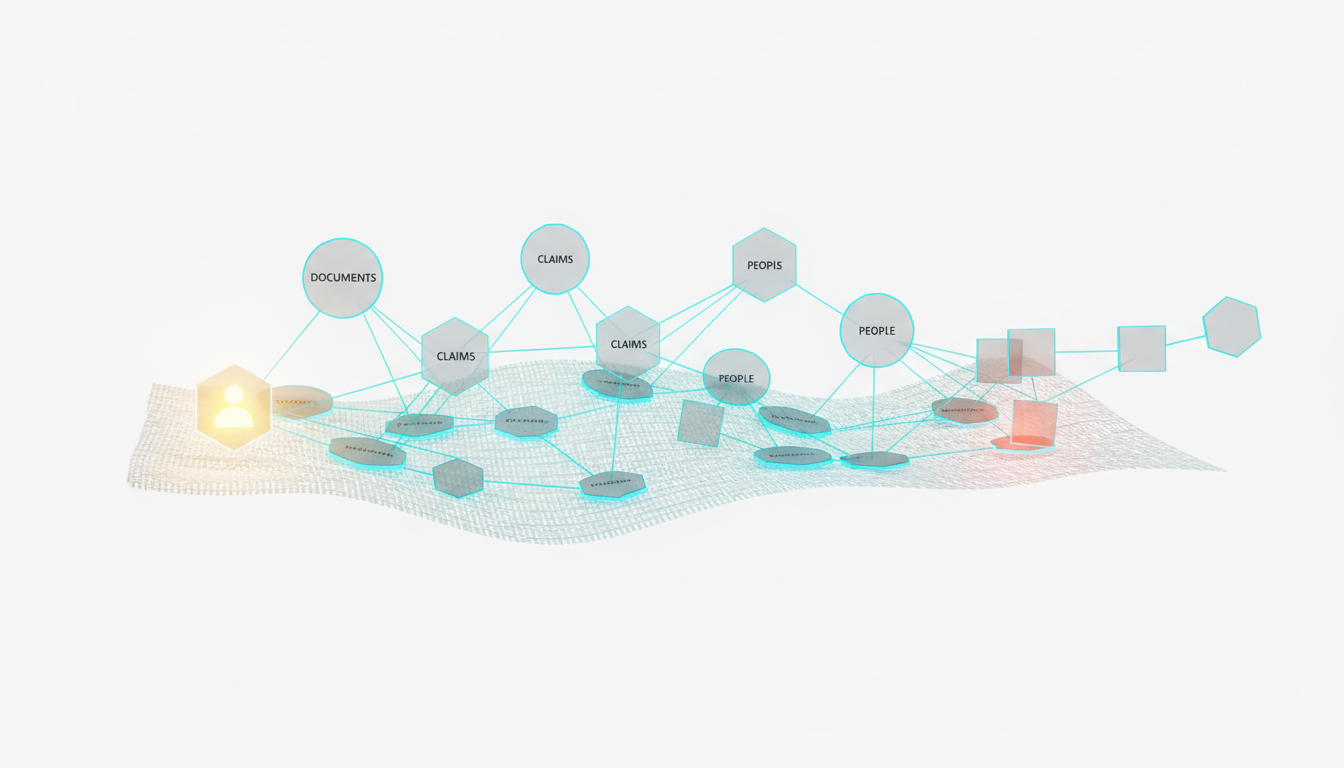
Platforms with Context Fabric maintain relevant facts across conversations and team handoffs. A Knowledge Graph maps entities, claims, and citations so you can trace how a conclusion emerged from scattered evidence.
When you return to a project three weeks later, you don’t start from scratch. The platform remembers what you validated, what you flagged, and which sources you relied on.
Why Usability Equals Control Plus Reproducibility Plus Speed
Usability in orchestration isn’t about fewer clicks. It’s about giving you the control to steer analysis, the reproducibility to defend decisions, and the speed to beat deadlines without cutting corners.
- Control: Stop responses mid-stream, queue follow-up questions, adjust detail levels on the fly
- Reproducibility: Export transcripts, version outputs, cite sources so auditors can retrace your steps
- Speed: Run five models in parallel instead of five sequential chats; reuse context instead of re-explaining background
- Collaboration: Share workspaces with permissions, hand off projects without losing thread
Platforms with Conversation Control let you interrupt, refine, and redirect without losing progress. You’re not stuck waiting for a 2,000-word response when you need a quick sanity check.
Orchestration Modes That Match Real Work
Choosing the right orchestration mode is like picking the right meeting format. You wouldn’t run a brainstorm the same way you’d run a risk review. Different tasks need different structures.
Sequential Mode for Building on Prior Steps
Sequential orchestration chains models so each builds on the last. You might use one model to extract key facts, a second to summarize patterns, and a third to generate counter-arguments.
This mode works when you have a clear pipeline: gather sources, synthesize findings, test conclusions. Each stage feeds the next without backtracking.
Fusion Mode for Synthesizing Diverse Viewpoints
Fusion mode runs multiple models in parallel, then combines their outputs into a unified response. You get breadth without reading five separate answers.
Use fusion when you need comprehensive coverage fast. The platform merges insights, flags contradictions, and presents a consolidated view.
Debate Mode for Surfacing Blindspots
Debate mode pits models against each other. One argues for a position, another challenges it, and you see where the reasoning breaks down.
This mode is critical for investment decision validation. You don’t want confirmation bias. You want models poking holes in your thesis before you commit capital.
- Start with your hypothesis
- Assign models to argue for and against
- Review the exchange to identify weak assumptions
- Refine your position based on the strongest objections
Red Team Mode for Stress-Testing Decisions
Red team mode goes further than debate. It actively tries to break your reasoning, find edge cases, and surface risks you didn’t consider.
Use red team when the cost of being wrong is high. Legal clauses, regulatory filings, and market-moving announcements all benefit from adversarial review.
Research Symphony for Aggregating Evidence
Research Symphony orchestrates multiple models to gather, categorize, and cross-reference sources. You end up with an evidence map instead of a pile of links.
This mode shines when you’re starting from scratch. You need to understand a new market, review academic literature, or compile competitive intelligence.
Targeted Mode for Focused Expertise
Targeted mode routes questions to specific models based on their strengths. You might send code reviews to a technical model, legal language to a reasoning-focused model, and creative briefs to a generalist.
Platforms that let you build specialized AI teams make this seamless. You @mention the right expert instead of guessing which model to use.
Mode Selection Heuristics
Pick your mode based on three factors: uncertainty, risk, and data availability.
- High uncertainty, low risk: Start with Research Symphony to gather context
- Medium uncertainty, medium risk: Use Fusion to synthesize multiple perspectives
- Low uncertainty, high risk: Run Debate or Red Team to validate assumptions
- Known process, repeatable task: Sequential mode with saved templates
- Exploratory phase: Targeted mode to test different angles quickly
Multi-Model Collaboration Without Friction
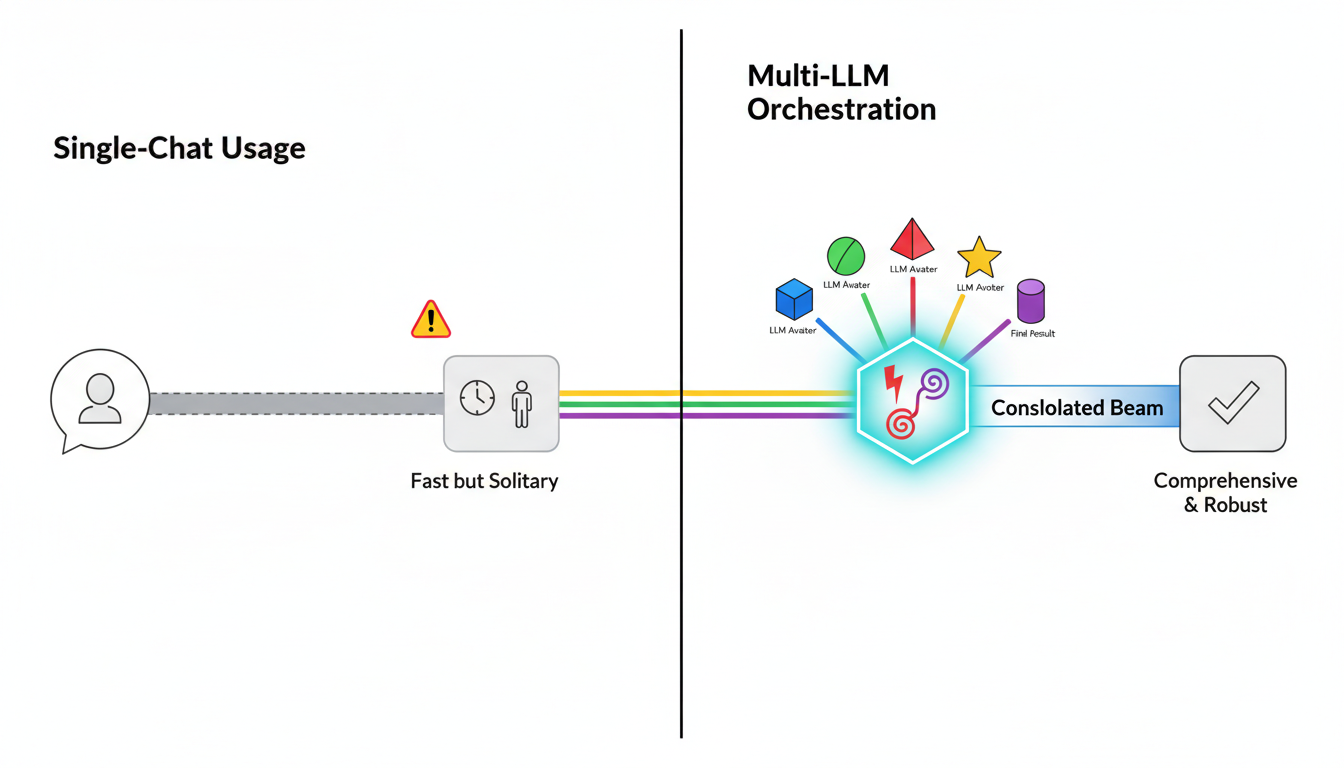
Running five models in separate tabs is painful. You copy-paste context, lose track of which version you’re working from, and waste time reconciling outputs manually.
Platforms with a 5-Model AI Boardroom give you one interface for multiple models. You see side-by-side responses, compare reasoning, and synthesize without switching tools.
- Simultaneous responses so you don’t wait for five sequential queries
- Side-by-side comparison to spot disagreements and gaps
- Unified context so every model works from the same background
- Synthesis tools to merge insights without manual copying
Legal Clause Analysis Across Five Models
You’re reviewing a supplier agreement with liability caps, IP assignment clauses, and termination rights. You need to know which terms are standard and which carry hidden risk.
Load the contract into the platform. Run it through five models in Targeted mode, each focused on a clause family. One model flags ambiguous language in the IP section. Another spots a non-standard termination trigger. A third confirms the liability cap is market-rate.
You synthesize the findings into a risk memo in 30 minutes instead of scheduling three separate reviews.
Persistent Context and Knowledge Graphs
Context disappears fast in single-chat tools. You explain your project, get an answer, close the tab. Next session, you start over.
Context Fabric maintains relevant facts across sessions and teams. You don’t re-explain background. The platform remembers what you validated, what you’re tracking, and which sources you trust.
Knowledge Graph for Relationship Mapping
A Knowledge Graph maps entities, claims, and citations. You see how conclusions connect to evidence, which sources support which arguments, and where gaps exist.
This matters when you’re building a case. You need to trace reasoning, not just store outputs. The graph shows you the path from raw data to final recommendation.
- Entity extraction: Automatically identify companies, people, dates, obligations
- Relationship mapping: Link claims to supporting evidence and counter-evidence
- Citation tracking: Know which sources back each conclusion
- Gap identification: Spot missing links or unsupported assertions
Research Review Building a Living Evidence Map
You’re conducting a literature review on market entry strategies. Over two weeks, you process 40 papers, extract key findings, and identify conflicting recommendations.
The Knowledge Graph captures each paper as a node, links findings to sources, and flags contradictions. When you write your synthesis, you click through the graph to verify claims and pull exact citations.
New papers get added to the graph without disrupting existing structure. Your evidence map grows instead of fragmenting across disconnected notes.
Granular Conversation Control and Auditability
You can’t always predict how long a response should be. Sometimes you need a quick yes-no. Other times you need exhaustive analysis with citations.
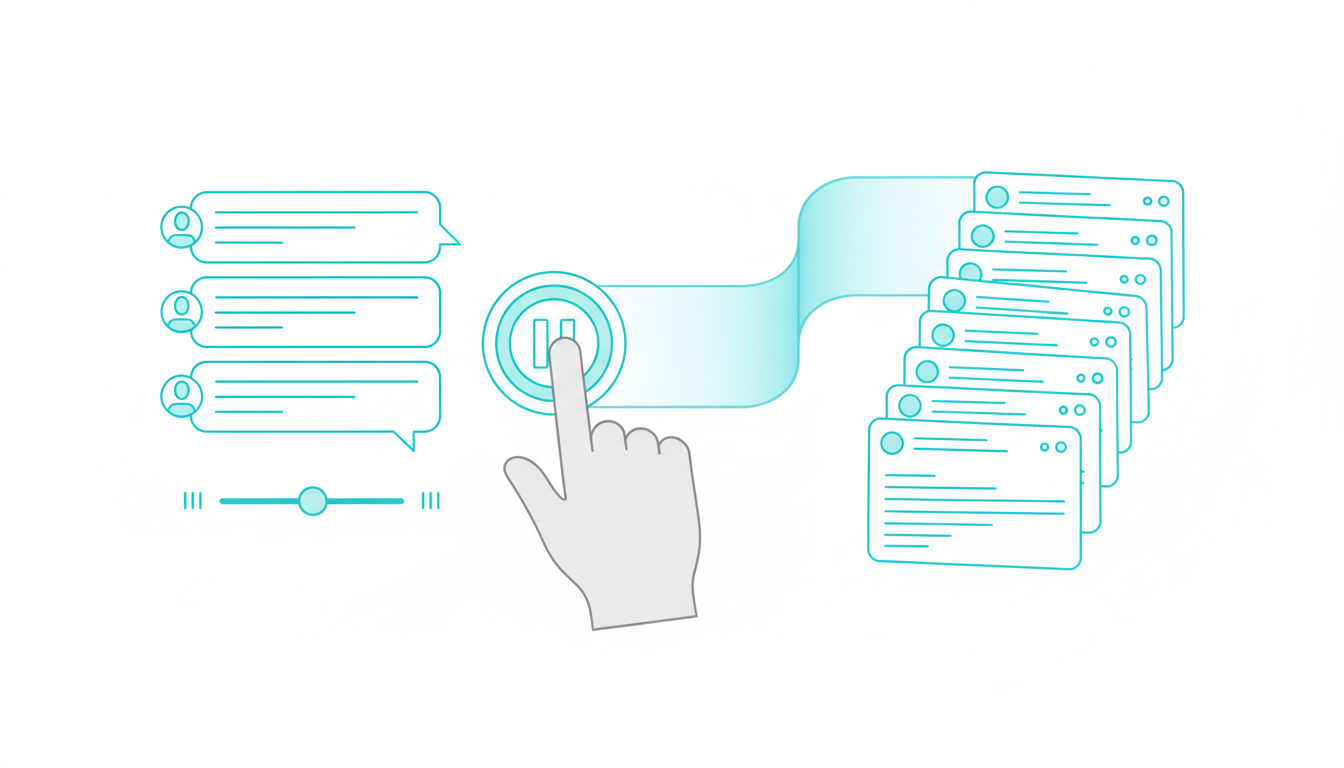
Conversation Control gives you stop and interrupt functions, message queuing, and response detail sliders. You steer the conversation in real time instead of waiting for a response you don’t need.
- Stop responses mid-stream when you’ve seen enough
- Queue follow-up questions without interrupting current analysis
- Adjust detail levels from bullet points to deep dives
- Version outputs so you can compare iterations
- Export transcripts with timestamps and model attribution
Regulated Workflows Needing Reproducible Steps
You’re preparing a regulatory filing. Every claim needs a source. Every decision needs a rationale. Auditors will ask why you reached a conclusion six months from now.
Conversation Control lets you export a complete transcript showing which models contributed what, which sources you cited, and how you refined the analysis. You have a defensible audit trail without manual documentation.
When regulators ask how you validated a risk assessment, you hand them the timestamped conversation with full citations.
Document-Heavy Workflows That Don’t Break
Most AI tools choke on multi-document workflows. You upload a file, get an answer, lose the file when the session ends. Next question requires re-uploading.
Watch this video about ai orchestration platform user-friendly features:
Platforms with vector file databases store your documents and make them retrievable across sessions. You build a knowledge base instead of treating each upload as disposable.
Master Document Generator and Living Documents
The Master Document Generator assembles outputs from multiple analyses into structured reports. You’re not copying and pasting from five chat windows. The platform compiles findings, maintains formatting, and tracks revisions.
Living documents update as new information arrives. Your investment memo isn’t frozen at version 1.0. It evolves as you validate assumptions, incorporate feedback, and refine conclusions.
- Vector databases for persistent document storage and retrieval
- Multi-document synthesis without manual merging
- Structured templates for reports, memos, and briefs
- Revision tracking so you see what changed and why
- Export to standard formats (PDF, Word, Markdown) without reformatting
RFP Response Assembly with Audit Trail
You’re responding to a 50-question RFP. Some questions need technical depth. Others need customer examples. A few require legal review.
Upload the RFP and your source materials to the vector database. Use Targeted mode to route technical questions to one model, case studies to another, compliance language to a third. The Master Document Generator compiles responses into the required format.
You export the final document with an audit trail showing which model contributed each section and which sources you cited. Legal reviews the transcript, approves the submission, and you hit send in two days instead of two weeks.
Specialized Teams and Role-Based Workspaces
Different roles need different AI configurations. Analysts want depth. Lawyers want citations. Product marketers want competitive positioning.
Platforms that support specialized AI teams let you build role-specific configurations. You @mention the right expert instead of reprompting a general-purpose model.
Projects and Workspaces for Permissions and Handoffs
Workspaces organize projects with shared context, permissions, and handoff points. When an analyst finishes research, counsel picks up the same workspace with full context intact.
No one re-explains background. No one hunts for the latest version. The workspace contains the conversation history, document library, and knowledge graph.
- Role-based teams with pre-configured models and prompts
- @Mention targeting to route questions to specific expertise
- Shared workspaces with version control and permissions
- Handoff protocols so projects transfer without context loss
- Audit trails showing who contributed what and when
Cross-Functional Review Example
You’re launching a product. The analyst validates market sizing. Counsel reviews claims. The PMM drafts positioning.
Create a workspace with three specialized teams: Market Analyst, Legal Reviewer, and Messaging Expert. The analyst runs Research Symphony to gather competitive data. Counsel uses Red Team mode to stress-test claims. The PMM synthesizes findings into a launch brief.
Everyone works in the same workspace. Context carries forward. The final brief includes citations from the analyst’s research and approval notes from counsel’s review.
Usability Scorecard for Platform Evaluation
Not all orchestration platforms deliver the same usability. Use this scorecard to compare options on criteria that affect your outcomes.
Weighted Criteria
- Control (25%): Can you stop, redirect, and adjust responses in real time?
- Reproducibility (25%): Can you export transcripts, version outputs, and trace decisions?
- Speed (20%): Does the platform reduce time-to-answer vs manual workflows?
- Learning Curve (15%): Can new users get value in the first session?
- Collaboration (15%): Can teams share context and hand off projects cleanly?
Bias Reduction and Auditability Checklist
High-stakes work requires mechanisms to catch errors before they become decisions.
- Debate mode: Do models challenge each other’s reasoning?
- Red team mode: Can you stress-test assumptions adversarially?
- Citation tracking: Does every claim link back to a source?
- Exportable transcripts: Can you produce a defensible audit trail?
- Version control: Can you compare iterations and see what changed?
- Multi-model comparison: Do you see where models agree and disagree?
Time-to-Decision Worksheet
Estimate your current workflow time vs improved time with orchestration features.
- Baseline: How long does your current process take from question to decision?
- Bottlenecks: Where do you lose time? (context re-explanation, manual comparison, document assembly)
- Target state: Which modes and features address your bottlenecks?
- Improved estimate: How much time could you save per task?
- Error reduction: How many decisions would you catch before they become problems?
Track actual times over 30 days. Compare your estimates to reality. Adjust your mode selection and team configuration based on what works.
Due Diligence Pack in 90 Minutes
You’re evaluating an acquisition target. You need a diligence pack covering financials, competitive position, and regulatory risk. You have 90 minutes before the partner meeting.
Workflow Steps
- Gather documents: Upload financial statements, industry reports, and regulatory filings to the vector database
- Seed context: Use Context Fabric to capture key facts (revenue, growth rate, market share, compliance status)
- Research Symphony: Run five models to aggregate viewpoints on market position and risk factors
- Debate mode: Pit models against each other on the biggest risk (e.g., regulatory exposure or competitive threats)
- Document generation: Use Master Document Generator to assemble a diligence memo with citations and risk ratings
You walk into the meeting with a structured memo, supporting evidence, and identified blindspots. The partner asks about regulatory risk. You pull up the debate transcript showing how models assessed exposure.
Learn more about due diligence with multi-LLM orchestration.
Clause Risk Review with Audit Trail
You’re reviewing a vendor contract with 30 pages of terms. Some clauses are standard. Others might expose your company to liability or IP loss.
Workflow Steps
- Load contract set: Upload the agreement and your company’s standard terms to the vector database
- Map entities and obligations: Use the Knowledge Graph to extract parties, dates, obligations, and termination triggers
- Targeted mode for clause families: Route liability clauses to one model, IP terms to another, termination rights to a third
- Red Team risky interpretations: Stress-test ambiguous language to see how an adversary might interpret it
- Export transcript and citations: Produce an audit trail for counsel sign-off
Counsel reviews the transcript, confirms your risk assessment, and approves the contract with two redlines. You avoided a three-day back-and-forth because the platform surfaced the issues upfront.
See how this applies to legal analysis workflows.
Investment Thesis Validation
You’re building a thesis on a growth-stage company. You need to validate market size, competitive moats, and downside scenarios before recommending the investment.
Workflow Steps
- Sequential mode: Chain models to move from sources to summaries to counter-thesis
- Debate between models: Assign one model to argue for the investment, another to argue against
- Conversation Control: Adjust response detail to get deeper evidence on contested points
- Living thesis document: Produce a memo that updates as you validate assumptions and incorporate feedback
You present the thesis with a debate transcript showing how you stress-tested assumptions. The investment committee asks about competitive threats. You show the counter-thesis section where models identified three risks and your mitigation plan.
Explore more on investment decision validation.
Key Takeaways
- Usability in orchestration means decision speed, control, and reproducibility-not just interface polish
- Mode selection and multi-model comparison reduce bias and surface blindspots before decisions lock in
- Persistent context and graphs make insights portable across teams and sessions instead of disposable
- Conversation control and audit trails enable regulated, defensible work with exportable evidence
- Document and workspace features turn outputs into living assets that compound instead of fragmenting
Use the scorecard and worksheet to benchmark your current workflow. Identify the features that unlock the biggest time and risk savings for your role.
Explore how these features operate in practice at the features hub and linked deep-dives for specific workflows.
Frequently Asked Questions
How do I choose between Sequential and Fusion modes?
Use Sequential when you have a clear pipeline where each step builds on the last (gather sources, summarize, generate counter-arguments). Use Fusion when you need comprehensive coverage fast and want the platform to merge insights from multiple models into one consolidated response.
What’s the difference between Debate and Red Team modes?
Debate mode has models argue for and against a position to surface weak assumptions. Red Team mode goes further by actively trying to break your reasoning, find edge cases, and expose risks you didn’t consider. Use Debate for balanced analysis and Red Team when the cost of being wrong is high.
Can I reuse context across different projects?
Yes, if the platform has persistent context management. Context Fabric maintains relevant facts across sessions and teams. Knowledge Graphs map relationships so insights from one project can inform another. You build a knowledge base instead of starting from scratch each time.
How does conversation control improve auditability?
Conversation control lets you stop responses, queue questions, and adjust detail levels in real time. Every interaction gets timestamped and attributed to specific models. You can export complete transcripts showing which models contributed what, which sources you cited, and how you refined the analysis – giving you a defensible audit trail.
What makes document workflows different on orchestration platforms?
Orchestration platforms with vector databases store documents persistently and make them retrievable across sessions. You don’t re-upload files for each question. Master Document Generators compile outputs from multiple analyses into structured reports with tracked revisions, so your work products evolve instead of fragmenting across separate chats.


