
If a single model feels decisive but wrong, your workflow is missing a cross-examination. High-stakes work suffers when one model’s confident answer goes unchallenged. Analysts and researchers need reproducible ways to surface disagreements, test assumptions, and document why a conclusion holds.
A multi-AI workspace coordinates multiple models to compare, debate, and fuse outputs against shared context. The result is an auditable decision trail that reveals where models agree, where they diverge, and why one interpretation wins.
This guide reflects practitioner workflows mapped to orchestration modes used in due diligence, legal research, and product analysis. You’ll learn when to use each mode, how to set up governance, and how to measure output quality.
Core Components of a Multi-AI Workspace
A functional workspace includes five building blocks:
- Multiple models with different training sets and reasoning styles
- Orchestration modes that control how models interact (sequential, parallel, adversarial)
- Context layer that maintains continuity across conversations
- Document store for grounding analysis in source material
- Decision log that records hypotheses, evidence, disagreements, and resolutions
The multi-model orchestration approach differs from single-AI chat tools by treating each model as a specialist contributor rather than a universal oracle. When one model confidently asserts a claim, others can challenge it with alternative interpretations or contradictory evidence.
When Multi-AI Outperforms Single-Model Prompting
Use a multi-AI workspace when you need:
- Bias reduction through cross-model validation of key claims
- Completeness checks where one model’s blind spots get caught by others
- Adversarial testing of investment theses or legal arguments
- Consensus drafting that synthesizes multiple perspectives into one document
- Reproducible research with documented reasoning trails
Single-model prompting works fine for low-stakes tasks like drafting emails or summarizing articles. But when a wrong conclusion costs money, reputation, or legal exposure, you need disagreement to surface before you commit.
Trade-Offs and Controls
Running multiple models increases latency and token usage. A five-model debate takes longer than a single query. But controls mitigate these costs:
- Response detail settings let you request concise answers for exploratory queries
- Stop and interrupt functions kill runaway responses before they burn tokens
- Message queuing batches prompts to reduce cognitive overhead
- Targeted routing sends simple queries to fast models and complex ones to reasoning specialists
The cognitive overhead of managing multiple outputs is real. That is why orchestration modes exist – they structure how models contribute so you’re not manually synthesizing five different answers.
Orchestration Modes Mapped to Workflows
Each mode solves a different coordination problem. Pick the mode that matches your task’s structure and acceptance criteria.
Sequential Mode: Structured Research Pipelines
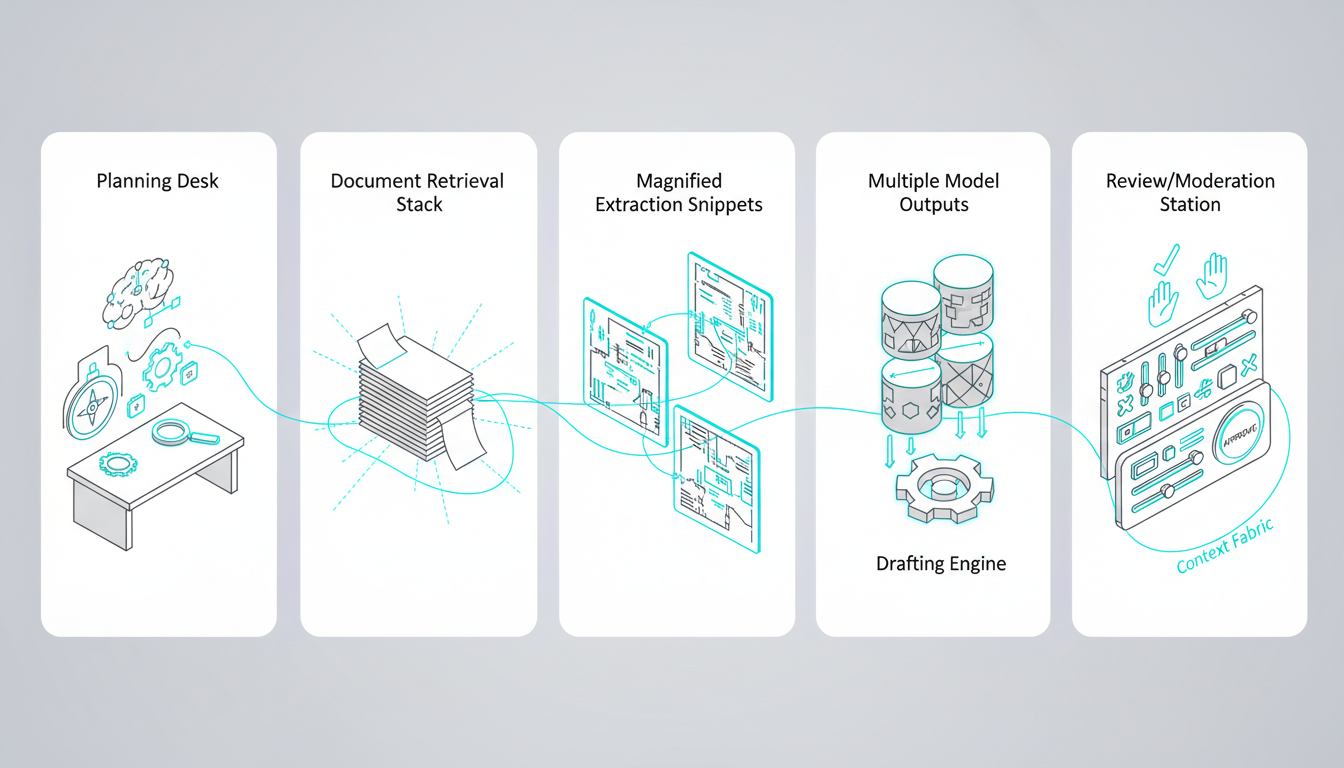
Sequential mode chains models into a five-stage research pipeline. Each model completes one stage before passing results to the next.
- Plan – Define research questions and success criteria
- Gather – Retrieve relevant documents and data
- Extract – Pull key facts, quotes, and statistics
- Synthesize – Draft findings with citations
- Review – Check for gaps and contradictions
Use persistent context management (Context Fabric) to carry research objectives across all five stages. Queue messages with conversation control to batch prompts and reduce interruptions.
Sequential mode works best when each stage builds on the previous one and you need a clear audit trail showing how conclusions emerged from raw sources.
Fusion Mode: Consensus Drafting
Fusion mode runs parallel prompts across multiple models, then synthesizes their outputs into a single document. Use it for investment memos, legal briefs, or product specs where you want diverse perspectives without manual reconciliation.
- Parallel prompts – Send the same task to 3-5 models
- Fusion synthesis – Combine outputs into one coherent draft
- Gap check – Identify missing evidence or weak arguments
- Final draft – Refine language and citations
Track citations so you know which model contributed each claim. If a fact appears in only one model’s output, flag it for verification before including it in the final document.
Debate Mode: Assumption Stress Testing
Debate mode assigns models to opposing positions and runs structured argument rounds. Use it to stress-test investment theses or challenge strategic assumptions.
- Claim – State the hypothesis you want to test
- Pro/Con rounds – Models argue for and against the claim
- Evidence scoring – Rate the strength of each side’s support
- Decision log – Document which arguments won and why
Use @mentions to assign roles explicitly. Designate one model as the Bull case and another as the Bear case. This prevents both models from hedging toward the same middle-ground conclusion.
Debate mode reveals weak points in your reasoning before they become expensive mistakes. If the Bear case identifies risks you hadn’t considered, you can adjust your thesis or hedge your position.
Red Team Mode: Risk and Compliance Review
Red Team mode simulates adversarial attacks on your analysis. Use it for legal risk assessment, policy compliance, or security audits where you need to find flaws before regulators or opponents do.
- Threat modeling – Identify attack vectors and edge cases
- Attack scenarios – Generate specific challenges to your position
- Mitigations – Develop responses to each attack
- Sign-off – Document residual risks and acceptance criteria
Store artifacts in a vector file database so you can re-audit decisions later. If a regulator questions your compliance process six months from now, you’ll have the full reasoning trail showing what risks you considered and how you addressed them.
Research Symphony Mode: Large-Scale Literature Scans
Research Symphony mode distributes a large corpus across multiple models for parallel processing of market research, patent searches, or academic literature. Each model specializes in a different subset of documents.
- Sharded retrieval – Divide the corpus into manageable chunks
- Model specialization – Assign each model to specific document types
- De-duplication – Merge overlapping findings
- Synthesis – Combine insights into a unified report
Use a Knowledge Graph for relationship mapping to unify entities and claims across all documents. When multiple sources reference the same company or technology, the graph connects them so you see the full picture.
Targeted Mode: Precision Routing
Targeted mode routes each query to the best-suited model based on task type. Use it when you know which model excels at coding, reasoning, or web browsing.
- Route by strength – Send code to a programming specialist, legal questions to a reasoning model
- Validate – Check outputs against acceptance criteria
- Archive – Store results in the decision log with routing rationale
Create a prompt routing playbook that documents which models handle which tasks. Include fallback checks so you can re-route if the primary model fails to meet quality thresholds.
Setting Up Your Workspace
A repeatable setup process ensures consistent results across projects. Follow this checklist before starting any multi-AI workflow.
Workspace Setup Checklist
- Define objective – What decision are you validating or what document are you creating?
- Select models – Choose 3-5 models with complementary strengths
- Seed context – Load background documents, prior decisions, and acceptance criteria
- Pick orchestration mode – Match mode to task structure (sequential, fusion, debate, etc.)
- Set acceptance criteria – Define what “good enough” looks like before you start
Seeding context matters more than most people expect. If you start a debate without loading the relevant background, models will argue from first principles instead of engaging with your specific situation.
Decision Log Template
Document each major decision with this six-part template:
- Hypothesis – The claim you’re testing
- Evidence – Data and sources supporting or challenging the claim
- Model disagreements – Where outputs diverged and why
- Resolution rationale – How you chose between competing interpretations
- Residual risks – Uncertainties that remain after analysis
- Next steps – Actions triggered by this decision
The decision log creates an audit trail that survives staff turnover and regulatory inquiries. When someone asks why you made a call six months ago, you can point to the exact evidence and reasoning that drove it.
Evaluation Rubric
Rate outputs on four dimensions before accepting them:
- Completeness – Did the analysis address all key questions?
- Contradiction handling – Were disagreements surfaced and resolved?
- Citation quality – Can you trace claims back to sources?
- Reproducibility – Could someone else follow your process and reach the same conclusion?
Set minimum thresholds for each dimension before you start. If an output scores below threshold on any dimension, re-run the analysis with adjusted prompts or additional context.
Cost and Latency Controls
Multi-model workflows cost more than single queries, but you can control spending:
- Response detail settings – Request concise answers for exploratory work
- Interrupt and stop – Kill responses that go off-track
- Selective re-runs – Only re-query models that produced weak outputs
- Batch processing – Queue multiple prompts to reduce overhead
Use conversation control features to stop runaway responses before they consume your token budget. If a model starts repeating itself or veering into irrelevant territory, interrupt it and refine your prompt.
Prompt Kits for Common Roles
These starter prompts adapt to analyst, legal, and research workflows. Customize them for your specific domain and acceptance criteria.
For Investment Analysts
Start with a Debate mode prompt that stress-tests your investment thesis:
“Analyze [Company X]’s Q3 earnings report. Model A: Build the bull case focusing on revenue growth and margin expansion. Model B: Build the bear case focusing on competitive threats and valuation risk. Both models: cite specific numbers from the 10-Q and rate evidence strength on a 1-10 scale.”
Follow up with a Fusion mode synthesis that combines both perspectives into an actionable recommendation.
For Legal Researchers
Use Sequential mode to build a precedent analysis pipeline:
Watch this video about multi-ai workspace:
“Stage 1: Identify relevant case law from the past 10 years in [jurisdiction]. Stage 2: Extract holdings and reasoning from each case. Stage 3: Map how courts have interpreted [specific statute]. Stage 4: Draft a memo predicting how [current case] will be decided. Stage 5: Red team the memo by identifying weaknesses in the argument.”
Store the full reasoning chain so you can show clients or opposing counsel exactly how you reached your conclusions.
For Product Researchers
Run a Research Symphony scan across customer reviews, competitor features, and market reports:
“Shard the corpus into three buckets: customer feedback, competitor analysis, and market trends. Assign Model A to customer sentiment extraction, Model B to feature gap analysis, and Model C to market sizing. De-duplicate overlapping findings and synthesize into a product roadmap recommendation with prioritized features.”
Link findings to specific sources so product managers can drill into the evidence behind each recommendation.
Measuring Output Quality
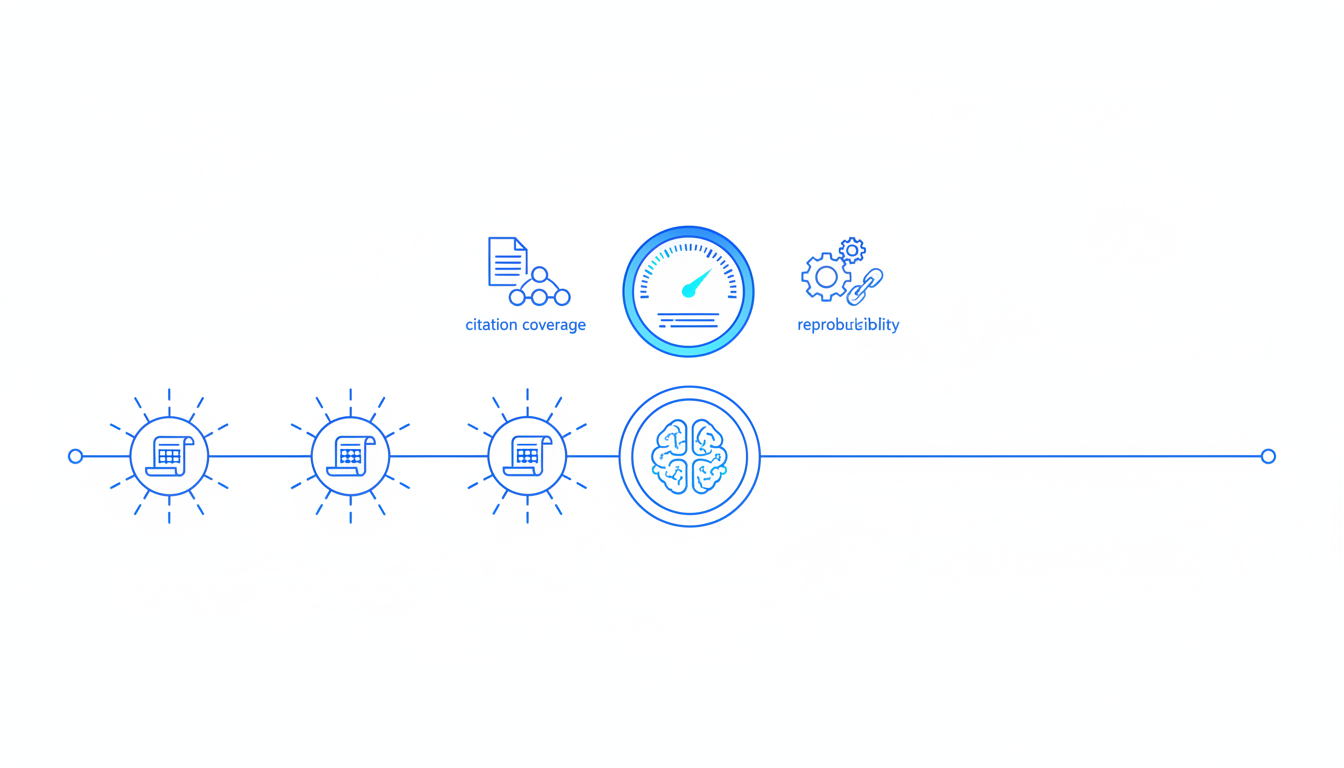
Track these metrics to know whether your multi-AI workflow is producing better decisions than single-model prompting:
- Contradiction rate – How often do models disagree on key claims?
- Resolution confidence – How clear is the winning argument after debate?
- Citation coverage – What percentage of claims link to sources?
- Reproducibility score – Can others follow your reasoning trail?
- Decision reversal rate – How often do you change your mind after multi-model analysis?
A healthy contradiction rate sits between 20-40%. If models agree on everything, you’re not getting value from multiple perspectives. If they disagree on everything, your prompts are too vague or your context is insufficient.
When to Use Single-Model Prompting Instead
Multi-AI workflows add overhead. Skip them when:
- The decision has low stakes and reversible consequences
- You need a fast answer and can tolerate some error
- The task is purely creative with no objective quality criteria
- You’re exploring ideas rather than validating conclusions
Save multi-model orchestration for decisions where being wrong costs more than the extra time and tokens spent on cross-validation.
Building Your Specialized AI Team
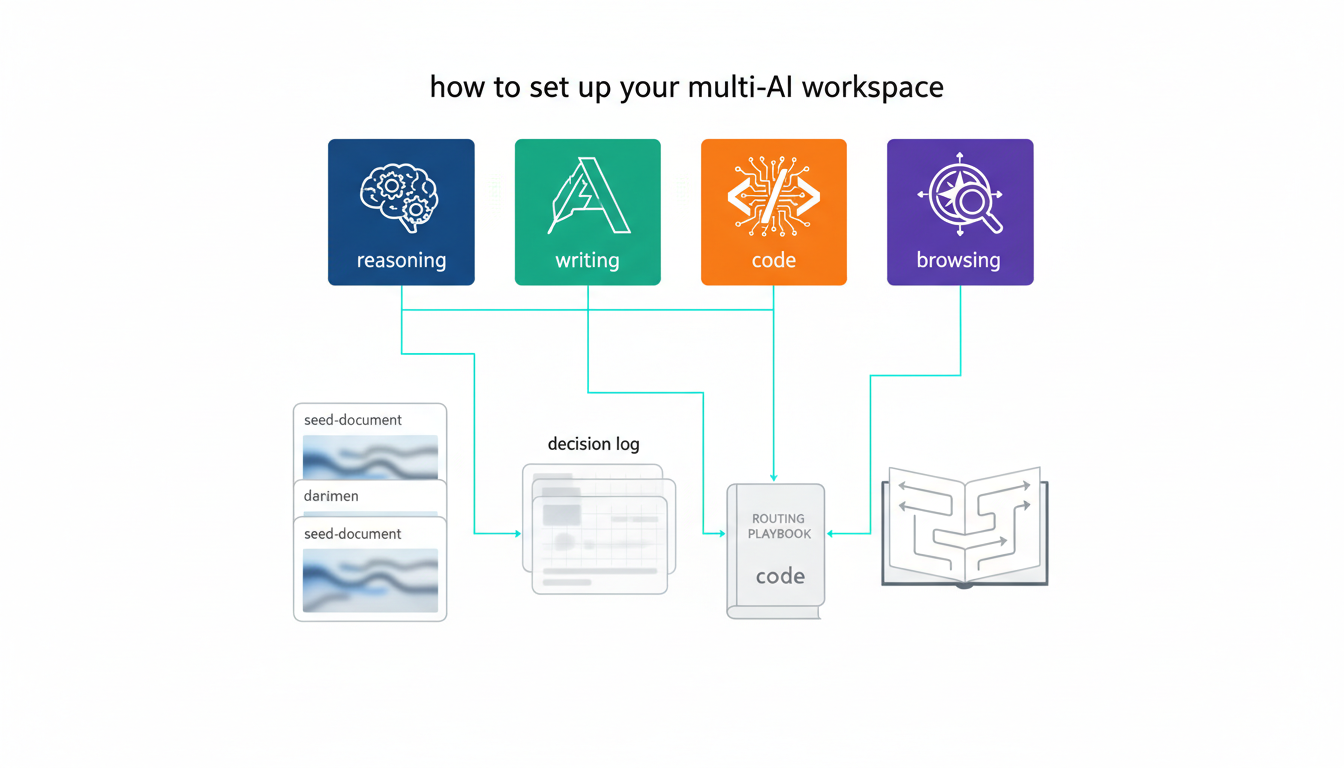
Different models excel at different tasks. Compose your team based on the strengths you need.
Model Selection by Task Type
- Reasoning and logic – Models trained on mathematical and scientific corpora
- Writing and synthesis – Models optimized for natural language generation
- Code and technical analysis – Models with strong programming capabilities
- Web research and current events – Models with browsing access
- Domain expertise – Models fine-tuned on legal, medical, or financial text
Learn how to build a specialized AI team that matches your workflow requirements. Test each model on sample tasks before committing to a configuration.
Role Assignment Best Practices
Use @mentions to assign explicit roles in debate and red team modes. Clear role definitions prevent models from converging on the same middle-ground answer.
Rotate roles across sessions to avoid bias. If Model A always plays the bull case, it may develop a systematic optimism that skews results.
Real-World Applications
These workflows show how practitioners apply multi-AI orchestration to high-stakes decisions.
Due Diligence for M&A Transactions
Investment teams use Sequential mode to process data rooms with hundreds of documents. One model extracts financial metrics, another flags legal risks, a third synthesizes competitive positioning. The final stage runs a Red Team review to identify deal-breakers.
See the full workflow in our guide to due diligence with Suprmind.
Investment Thesis Validation
Portfolio managers run Debate mode to stress-test new positions. The bull case highlights growth drivers and margin expansion. The bear case focuses on competitive threats and valuation risk. The decision log captures which arguments won and what risks remain unresolved.
Explore how this workflow scales across asset classes in our investment decisions workflow guide.
Legal Precedent Analysis
Law firms use Research Symphony mode to scan case law across multiple jurisdictions. Each model specializes in a different court system or time period. The Knowledge Graph connects related cases and statutory interpretations so attorneys see the full landscape.
Learn how to set up audit trails and compliance documentation in our legal analysis workflow guide.
Frequently Asked Questions
How many models should I include in my workspace?
Start with three models and scale up to five if you need broader coverage. More than five models creates diminishing returns – you spend more time synthesizing outputs than you gain from additional perspectives.
What if models disagree and I can’t determine which is correct?
Document the disagreement in your decision log and escalate to a human expert. Multi-AI workspaces surface uncertainty – they don’t eliminate it. When models diverge on a critical claim, that’s a signal to gather more evidence or consult domain specialists.
Can I use this approach for creative work like writing marketing copy?
Yes, but Fusion mode works better than Debate. Run parallel prompts with different style instructions, then synthesize the best elements from each output. Avoid debate mode for creative tasks – adversarial prompting kills creativity.
How do I prevent one model from dominating the conversation?
Use explicit role assignments with @mentions and set response detail limits. If one model consistently produces longer outputs, adjust its verbosity settings to balance contribution lengths across the team.
What’s the best way to maintain context across long research projects?
Load key documents and prior decisions into Context Fabric at the start of each session. Reference specific artifacts by name in your prompts so models know which sources to prioritize. Archive completed analyses in the vector file database for retrieval in future sessions.
How do I know if I’m spending too much on multi-model workflows?
Track cost per decision and compare it to the value of avoiding errors. If a wrong call costs $10,000 and multi-model validation costs $50 in tokens, the ROI is obvious. Set budget alerts and use response detail controls to cap spending on exploratory queries.
Key Takeaways
Multi-AI workspaces reduce single-model bias by orchestrating multiple models through structured workflows. Each orchestration mode maps to a distinct validation pattern – sequential for research pipelines, fusion for consensus drafting, debate for assumption testing, red team for risk assessment, research symphony for large-scale scans, and targeted for precision routing.
- Persistent context management keeps long-running projects coherent across sessions
- Decision logs create audit trails that survive staff turnover and regulatory review
- Contradiction rates between 20-40% indicate healthy cross-validation
- Response detail controls and interrupt functions manage token costs
- Explicit role assignments prevent models from converging on safe middle-ground answers
You now have a mode-to-workflow playbook, a decision log template, and an evaluation rubric to judge output quality. The next step is choosing which orchestration mode fits your immediate decision validation need.
Explore how parallel orchestration operates in practice through the five-model simultaneous analysis capability that powers these workflows.


