
Ask one AI a hard question and you get a confident answer. Ask five and you get confidence plus the places where that confidence breaks down. That gap – between a single model’s certainty and a cross-validated conclusion – is where multi AI chat earns its place in high-stakes professional work.
Single-model chat is fast. It’s also fragile. Hallucinations slip through without challenge, blind spots go undetected, and when a decision gets questioned later, there’s no auditable reasoning chain to show. For legal analysis, investment due diligence, compliance review, or strategy work, that fragility carries real cost.
This guide covers what multi AI chat actually is, how orchestration modes work, and how to choose the right approach for each task. It’s written for analysts, researchers, and practitioners who need AI outputs they can defend – not just outputs that sound plausible.
What Multi AI Chat Actually Means
Multi AI chat is not a UI that lets you switch between ChatGPT and Claude in separate tabs. That’s a multi-provider interface – useful for convenience, but not orchestration. True multi AI chat coordinates multiple large language models within a single session, routes the same prompt to several models simultaneously or in sequence, and applies structured logic to compare, challenge, and synthesize what each model returns.
The distinction matters because the value isn’t in having options. The value is in the structured relationship between model outputs – where disagreement surfaces as signal, not noise, and where a final answer carries documented reasoning rather than a single model’s best guess.
Why Models Disagree – and Why That’s Useful
GPT-4o, Claude 3.5 Sonnet, Gemini 1.5 Pro, Grok 2, and Perplexity each produce different answers to the same question. This isn’t a bug. It reflects genuine differences in training data, decoding strategies, fine-tuning objectives, and built-in guardrails.
Those differences become useful when you treat them as a cross-examination rather than a problem to resolve by picking one. Where models agree, confidence is higher. Where they diverge, you have a specific claim to investigate further.
Common sources of model disagreement include:
- Training data cutoffs – one model may have more recent sources on a topic
- Guardrail differences – models vary in how they handle contested or sensitive claims
- Reasoning depth – some models default to surface-level pattern matching; others chain steps more carefully
- Citation behavior – models differ significantly in how they attribute claims to sources
- Confidence calibration – some models hedge appropriately; others assert with equal confidence regardless of underlying certainty
Orchestration Modes: How Multi AI Chat Structures Collaboration
The mode you choose determines how models interact with each other and with your query. Each mode is suited to a different task type. Using the wrong mode wastes time and can produce misleading outputs.
Platforms like Suprmind offer several distinct orchestration patterns. Understanding each one lets you match the mode to the work at hand. You can explore how Debate and Super Mind modes structure model collaboration in detail, but here’s a working overview of each pattern.
Sequential Mode
In Sequential Mode, models process the prompt one after another. Each model sees the output from the previous model before generating its own response. This builds progressively refined answers, where later models can challenge, extend, or correct earlier ones.
Sequential mode works well for:
- Step-by-step analysis where each stage depends on the last
- Document review where one model extracts, another interprets, and a third checks
- Drafting tasks where successive passes improve quality
For teams that need sequential workflows where models build on each other, this mode creates a structured chain rather than parallel noise.
Super Mind mode (SuperMind)
Super Mind mode runs all models simultaneously and synthesizes their outputs into a single, unified response. The synthesis isn’t a simple average – it weights inputs based on confidence and consistency, surfacing areas of agreement and flagging divergence.
Super Mind mode is appropriate when you want a single deliverable rather than a comparison. It suits executive summaries, policy drafts, and any task where the end product needs to be one coherent document rather than a set of competing perspectives.
Debate Mode
In Debate Mode, models argue opposing positions on a question. One model builds the case for a position; another challenges it directly. The exchange continues for a defined number of rounds before synthesis.
This mode is particularly effective for:
- Investment thesis stress-testing – bull case vs bear case with explicit rebuttals
- Legal argument review – testing whether a position holds under adversarial challenge
- Policy analysis – surfacing second-order consequences that a single model might miss
- Strategic planning – pressure-testing assumptions before committing to a direction
Red Team Mode
Red Team Mode assigns one model the explicit task of finding flaws, weaknesses, and failure modes in an output or plan. The red team model is not looking for balance – it’s looking for what breaks.
For regulated industries, this is particularly valuable. A compliance team reviewing a contract can run the draft through Red Team Mode to surface clauses that create liability exposure before the document goes to a counterparty.
Research Symphony Mode
Research Symphony is a multi-stage pipeline designed for comprehensive research tasks. It runs models through defined phases: source identification, extraction, synthesis, gap analysis, and citation verification. The output is a structured research document with traceable sourcing rather than a single model’s interpretation of a topic.
A simplified walkthrough of Research Symphony looks like this:
Watch this video about multi ai chat:
- Define the research question and upload relevant documents to the vector file database
- Model 1 identifies and extracts relevant claims and citations from source material
- Models 2 and 3 independently synthesize the extracted material
- Model 4 identifies gaps between the syntheses and flags unresolved questions
- The Adjudicator cross-checks contested claims against uploaded sources
- Scribe captures the full reasoning chain into a living document
Targeted Mode and @Mention
Targeted Mode lets you direct a specific prompt to one model within a multi-model session. The @Mention function extends this – you can call a specific model mid-conversation to weigh in on a particular point without restarting the session. This is useful when one model has a known strength for a specific subtask, such as citing legal precedent or handling quantitative reasoning.
The 5-Model AI Boardroom: Parallel Orchestration in Practice
The concept of an AI Boardroom treats multiple models as members of a structured deliberation rather than alternatives to choose between. Each model has a role, each output is recorded, and the session produces a defensible conclusion with documented dissent preserved.
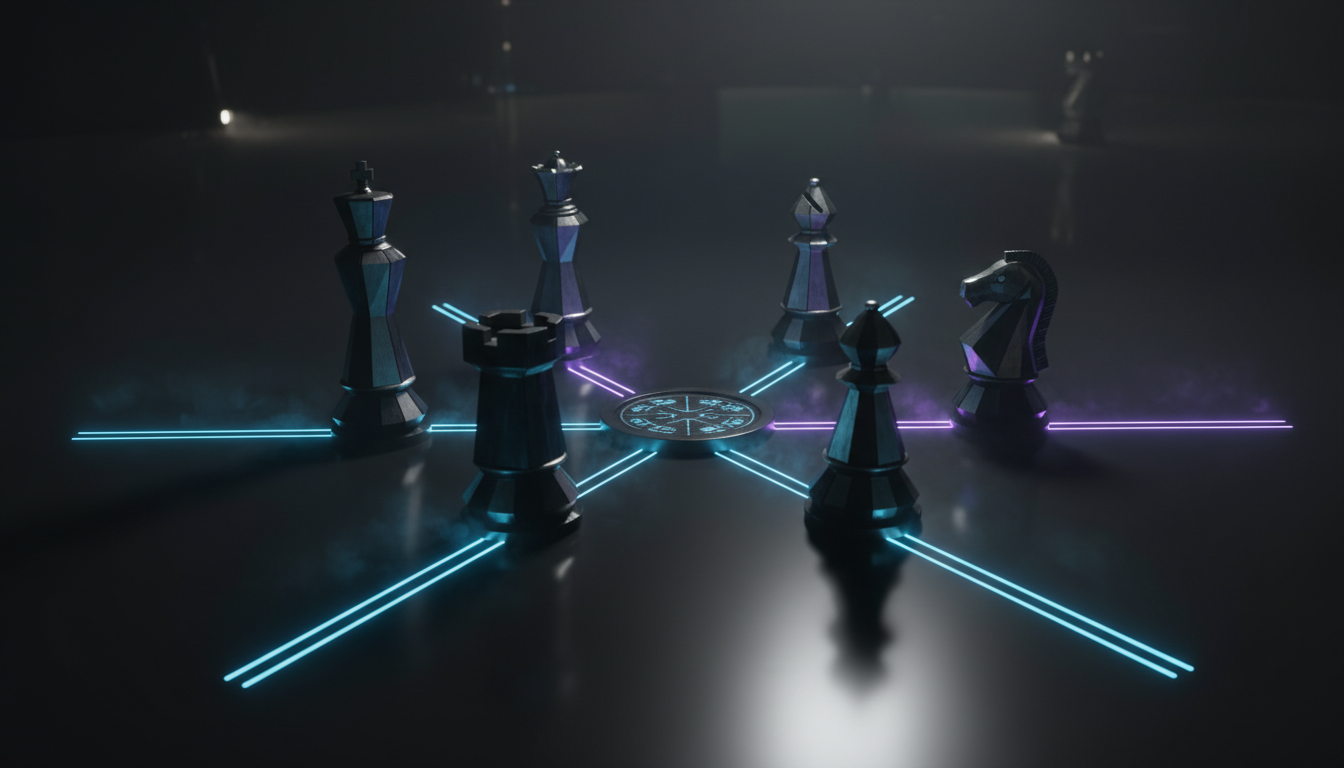
The 5-Model AI Boardroom runs GPT, Claude, Gemini, Grok, and Perplexity simultaneously on the same query. Rather than reading five separate answers, you see a structured comparison with areas of consensus highlighted and points of disagreement flagged for adjudication.
For high-stakes decisions, this matters because the output isn’t just an answer – it’s a record of how five independent models approached the same problem, where they agreed, and what each one got wrong or missed.
Choosing the Right Mode: A Decision Guide
Mode selection is where most multi AI chat users lose time. Defaulting to Super Mind for everything produces mediocre synthesis. Running Debate Mode on a simple factual lookup is wasteful. The right mode depends on the question type and the desired output format.
Use this as a working guide:
- Simple factual question with one correct answer – don’t use multi AI chat; a single well-prompted model is faster
- Complex analysis requiring multiple perspectives – Debate Mode or Super Mind mode
- Document review requiring extraction then interpretation – Sequential Mode
- Stress-testing a plan, contract, or thesis – Red Team Mode
- Comprehensive research with citation requirements – Research Symphony
- Drafting a deliverable that needs to be a single document – Super Mind mode
- Calling on a model’s specific strength mid-session – Targeted Mode / @Mention
Reliability Engineering: Adjudication, Consensus, and Hallucination Mitigation
Running multiple models in parallel creates a new problem: you now have five answers and need to know which parts to trust. This is where adjudication becomes the critical reliability layer in any serious multi AI chat platform.
How the Adjudicator Works
The Adjudicator is a dedicated reasoning layer that sits above the model outputs. When models disagree on a claim, the Adjudicator doesn’t pick a winner by vote. It cross-references the contested claim against uploaded source documents, retrieval results, and the knowledge graph to determine which model’s position has grounding.
You can see how the Adjudicator resolves conflicts and fact-checks claims in detail, but the core function is this: every contested claim gets a verdict with a source citation, not just a majority opinion.
This matters for hallucination mitigation. When one model asserts a case citation that doesn’t exist, or states a regulatory threshold that’s been revised, the Adjudicator flags the discrepancy against the documents you’ve loaded. The hallucination doesn’t propagate into the final output unchallenged. Learn more about how Suprmind prevents hallucinations.
Consensus Thresholds and Dissent Preservation
Not every disagreement needs to be resolved. Some questions have genuinely contested answers, and the most honest output is one that preserves dissent rather than forcing false consensus.
A well-configured multi AI chat session sets consensus thresholds based on the task:
- High-confidence threshold (4/5 models agree) – appropriate for factual claims where accuracy is critical
- Majority threshold (3/5 models agree) – appropriate for analytical conclusions where some interpretation is expected
- Preserved dissent – when models split 2-3 or 2-2-1, the dissenting position is documented rather than discarded
Preserved dissent is not a failure state. In legal analysis, a minority position may be the one that matters most for a specific jurisdiction. In investment analysis, the bear case that three models dismissed may be exactly the risk that needs documentation.
Document-Grounded Chat and Citation Hygiene
Multi AI chat without document grounding is still just model opinion. For professional work, every significant claim should trace back to a source you can verify. This requires a vector file database – a retrieval system that chunks uploaded documents and surfaces relevant passages when models generate claims.
Citation hygiene in a multi AI chat session means:
- Every factual claim links to a specific passage in an uploaded document or a verified external source
- Model-generated claims that lack source grounding are flagged, not silently included
- The Knowledge Graph tracks named entities, relationships, and facts across the session so context doesn’t degrade as the conversation grows
- The Scribe living document records which claims came from which models and which sources, creating a traceable audit trail
Context Fabric: Persistent Context Across Models
One of the least-discussed problems in multi AI chat is context fragmentation. When you run the same prompt across five models in separate sessions, each model starts cold. It has no memory of what was established earlier, what documents were referenced, or what conclusions were already validated.
Context Fabric solves this by maintaining a shared context layer that all models in a session draw from simultaneously. When Model 1 establishes a fact in round one, Model 3 in round four doesn’t need to rediscover it. The context is persistent, shared, and queryable. Explore Context Fabric.
For long-running research or document review sessions, this is the difference between a productive multi-model session and a chaotic one where models keep contradicting already-resolved points.
Use Cases by Professional Domain
Legal Analysis
Legal professionals using multi AI chat for case research can run a query through Debate Mode to surface majority and minority reasoning across models. One model may cite cases supporting one interpretation; another may surface precedent pointing the other way. The Adjudicator cross-checks citations against uploaded case law to verify they exist and say what the model claims they say.
A typical legal multi AI chat workflow:
- Upload relevant statutes, case law, and briefs to the vector file database
- Define the legal question and select Debate Mode
- Run GPT and Claude on opposing interpretations with citation requirements
- Adjudicator verifies all citations against uploaded documents
- Scribe captures the full reasoning chain, including dissent, for the file
Investment Due Diligence
Investment analysts can use Debate Mode to run an explicit bull vs bear analysis on a thesis. One model builds the affirmative case with supporting data. Another challenges every assumption. Red Team Mode then stress-tests the surviving thesis for tail risks and downside scenarios that the debate may have glossed over.
The output is a structured investment memo with documented assumptions, explicit challenges, and a red-team section – not a single model’s optimistic summary.
Watch this video about multi ai chat platform:
Market Research and Literature Synthesis
Research teams running literature reviews can use Research Symphony to triage a large document set. Models extract claims and citations in parallel, synthesize findings independently, and the gap analysis phase surfaces what the literature doesn’t answer – which is often the most useful output for research planning.
Strategy and Scenario Planning
Strategy teams can use Super Mind mode to synthesize multi-model perspectives on a scenario, then run Red Team Mode on the resulting plan. Assumption stress-testing – where models are explicitly asked to identify which assumptions the strategy depends on and what happens if each one fails – produces more rigorous plans than a single model’s strategic recommendation.
Evaluating a Multi AI Chat Platform: What to Look For
Not all platforms that call themselves multi AI chat tools offer genuine orchestration. A checklist for evaluating any platform:
- Orchestration modes – does it offer Sequential, Super Mind, Debate, Red Team, and Research Symphony, or just parallel prompting?
- Adjudication layer – is there a structured conflict resolution mechanism, or do you manually reconcile disagreements?
- Context persistence – does context degrade across a long session, or does a shared context layer maintain it?
- Document retrieval – can you ground outputs in uploaded documents with traceable citations?
- Audit trail – does the platform capture reasoning, dissent, and source attribution in an exportable document?
- Privacy and data handling – for regulated industries, where is data processed and stored, and what are the data retention policies?
- Model selection – can you choose which models participate and configure their roles per session?
When Multi AI Chat Is Not the Right Tool
Multi AI chat adds overhead. For some tasks, that overhead isn’t justified:
- Simple factual lookups where one correct answer exists and speed matters
- Time-sensitive queries where the cost of running five models outweighs the benefit of cross-validation
- Tasks where all models will produce identical outputs because the answer is unambiguous
- Early-stage brainstorming with AI where divergent ideas are welcome and adjudication would prematurely narrow options
The discipline is knowing when the reliability benefit justifies the additional process. High-stakes decisions with significant consequences usually clear that bar. Routine queries usually don’t.
Multi AI Chat vs Related Approaches
Multi AI Chat vs Single-Model Chat
Single-model chat is faster and simpler. It’s appropriate for low-stakes tasks where speed matters more than cross-validation. Multi AI chat adds structured disagreement, adjudication, and audit trails – capabilities that only matter when the cost of a wrong answer is high.
Multi AI Chat vs Multi-Agent Frameworks
Multi-agent frameworks (like LangChain or AutoGen) are designed for autonomous task execution – agents act, use tools, and complete workflows without continuous human direction. Multi AI chat keeps the human in the loop at every stage, using models as reasoning collaborators rather than autonomous actors. For knowledge work where judgment matters, the human-in-the-loop model is usually preferable.
Standalone Aggregators vs Orchestration Platforms
A standalone aggregator shows you multiple model outputs side by side. An orchestration platform structures the relationship between those outputs – defining how models interact, how conflicts are resolved, and how the session produces a defensible conclusion. The difference is the difference between a panel discussion and a structured deliberation.
Getting Started with a Multi AI Chat Session
A well-structured multi AI chat session follows a consistent setup process regardless of mode:
- Define the objective clearly – vague prompts produce vague outputs across five models instead of one
- Load relevant documents – upload source material to ground outputs in verifiable evidence
- Select models – choose models based on their known strengths for the task type
- Choose the orchestration mode – match the mode to the question type using the decision guide above
- Set consensus thresholds – define what level of agreement you need before accepting a claim
- Configure the Adjudicator – specify which sources take precedence for fact-checking
- Review and export – use Scribe to capture the full session into a living document with citations and dissent preserved
Frequently Asked Questions
What is multi AI chat?
Multi AI chat is a structured approach to running multiple large language models within a single session. Rather than switching between models manually, an orchestration platform routes queries to several models simultaneously or in sequence, applies structured modes to shape how models interact, and uses an adjudication layer to resolve conflicts and verify claims against source documents.
How does this differ from just using ChatGPT and Claude in separate tabs?
Using separate tabs gives you multiple opinions with no structure connecting them. An orchestration platform applies defined modes – Debate, Sequential, Super Mind, Red Team – to shape how models interact. It also provides an Adjudicator to resolve conflicts, a shared Context Fabric so models don’t start cold each time, and a Scribe document that captures the full reasoning chain with citations.
Which orchestration mode should I use for legal research?
Debate Mode works well for surfacing competing legal interpretations, with models assigned to opposing positions and citations required throughout. Sequential Mode suits document review where extraction precedes interpretation. Red Team Mode is appropriate for stress-testing a legal argument before it goes to a counterparty. The Adjudicator should always be active when citation accuracy is critical.
How does the platform handle AI hallucinations in a multi-model session?
The Adjudicator cross-references contested claims against uploaded documents and retrieval results. When a model asserts a citation or fact that doesn’t appear in the source material, the discrepancy is flagged rather than passed through to the final output. Cross-model consensus also provides a check – a hallucinated claim that only one model makes stands out against the other models’ outputs.
Is multi AI chat suitable for regulated industries?
It depends on the platform’s data handling practices. For regulated environments, the critical questions are where data is processed and stored, whether documents uploaded to the session are used for model training, what the data retention policy is, and whether the platform provides audit logs suitable for compliance review. Evaluate these criteria alongside the orchestration capabilities before deploying in a regulated context.
Can I use my own documents in a session?
Yes, document-grounded chat is a core feature of serious multi AI chat platforms. Documents are chunked and stored in a vector file database, and relevant passages are surfaced during the session to ground model outputs in verifiable evidence. The Knowledge Graph tracks named entities and facts across the session to maintain context as the conversation grows.
What This Means for High-Stakes Knowledge Work
Multi AI chat, done properly, is not about having more options. It’s about building a structured deliberation process that produces outputs you can defend – with documented reasoning, verified citations, and preserved dissent for the record.
For legal, investment, research, and strategy teams, the shift from single-model chat to orchestrated multi AI chat changes what AI can actually deliver. Not faster opinions, but cross-validated conclusions with an audit trail. See how this applies to high-stakes decisions.
If your work requires decisions you can stand behind, explore how structured multi-model orchestration – with parallel model outputs, adjudication, and living documents – changes what AI-assisted analysis can produce.