AI is changing how professionals investigate, decide, and communicate-especially when decisions carry reputational or financial risk. Legal teams validate case precedents faster. Investment analysts cross-check theses against multiple data sources. Product marketers draft positioning that reflects competitive intelligence from dozens of documents.
Most teams experiment with single-model chat tools, then stall. Outputs vary between sessions. Sources are unclear or missing. Risks feel unmanageable. Leaders can’t prove business impact beyond anecdotal time savings.
A validated augmentation approach solves this. Pair role-specific use cases with governance controls and multi-model checks. Teams move beyond pilots to durable productivity gains. This guide shows how to deploy AI responsibly, with validation and measurement built in from day one.
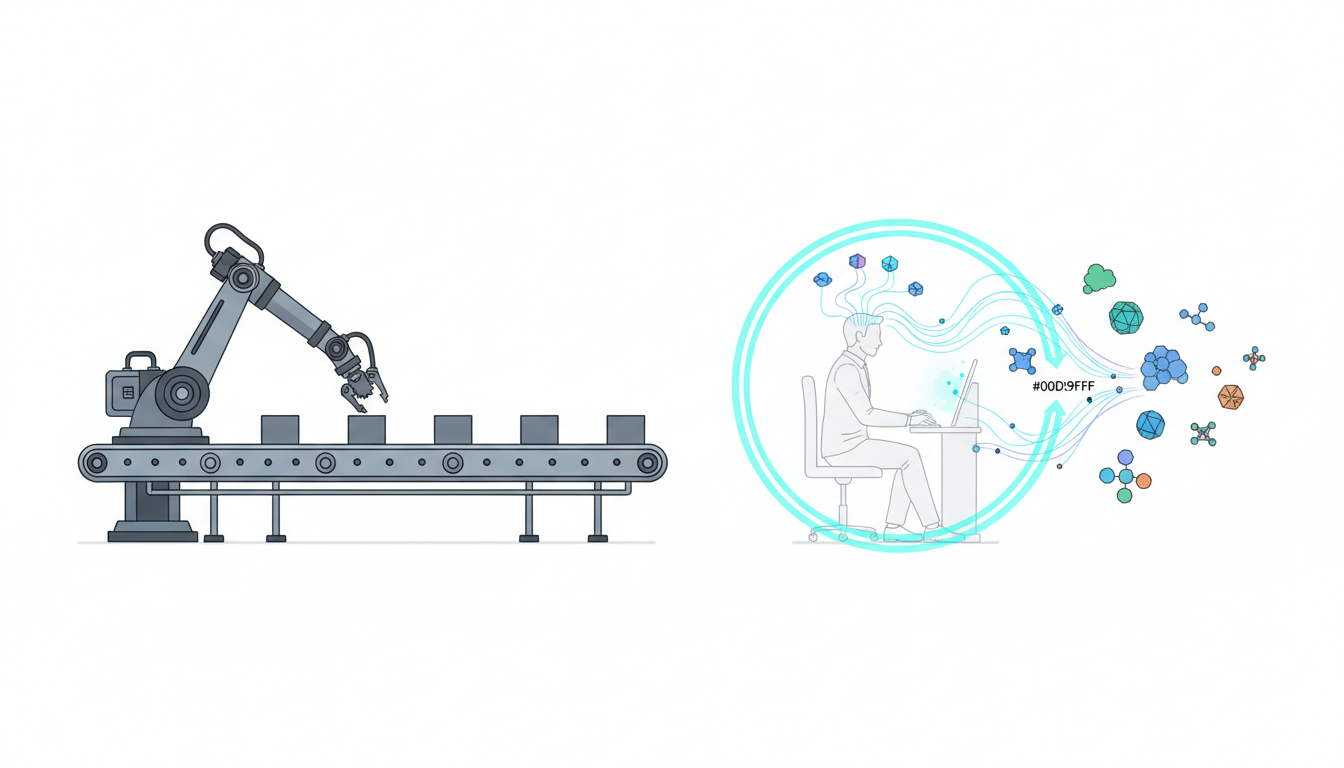
Defining AI in the Workplace: Augmentation vs Automation
AI at work means different things to different teams. Start by separating two distinct approaches: automation and augmentation.
Automation replaces human tasks entirely. Examples include routing support tickets, scheduling meetings, or generating standard contract clauses. These workflows have clear inputs, predictable outputs, and low decision stakes.
Augmentation enhances human judgment without replacing it. A lawyer uses AI to surface relevant case law, then applies legal reasoning to select the strongest precedents. An analyst asks AI to summarize 50 earnings calls, then interprets trends and builds a thesis. The human remains accountable for the final decision.
Why Augmentation Matters for High-Stakes Work
Knowledge work carries risk. A flawed investment memo costs capital. A missed legal precedent weakens a case. A product positioning error confuses buyers. These decisions require judgment, context, and accountability that AI cannot provide alone.
Augmentation keeps humans in control while expanding their capacity. You process more information, explore more angles, and validate outputs before they matter. This approach aligns with how professionals already work-research, draft, review, refine-but accelerates each step.
- Research: AI retrieves and summarizes relevant sources across documents, databases, and prior work
- Draft: AI generates initial versions of memos, analyses, or reports based on your requirements
- Review: AI checks drafts against criteria, identifies gaps, and suggests improvements
- Refine: You apply judgment, adjust reasoning, and finalize outputs with full accountability
The multi-AI orchestration platform approach supports this workflow by letting you coordinate multiple models at once, each contributing different perspectives to reduce blind spots.
Augmented Intelligence vs Artificial Intelligence
Some teams use the term augmented intelligence to emphasize human-AI partnership. The distinction matters. Artificial intelligence implies machine autonomy. Augmented intelligence implies human direction with machine support.
For workplace AI, augmented intelligence better describes the goal. You set objectives, define quality standards, and approve outputs. AI provides speed, scale, and breadth. The partnership produces better results than either party alone.
When AI Helps-and When It Doesn’t
Not every task benefits from AI. Some workflows are too simple. Others are too complex or carry risks that outweigh benefits. Use this decision framework to identify where AI adds value.
Green Zone: High-Value Augmentation Tasks
AI excels at tasks with these characteristics:
- Large information volume that humans can’t process efficiently
- Pattern recognition across documents, data, or prior examples
- Repetitive analysis that follows consistent logic
- Draft generation that humans will review and refine
- Cross-referencing sources to validate claims or identify gaps
Examples include legal research, competitive intelligence synthesis, due diligence document review, RFP response drafting, and market research summarization. These tasks benefit from AI speed and breadth, but require human judgment to interpret findings and apply context.
Yellow Zone: Proceed with Caution
Some tasks require extra validation controls:
- Tasks with compliance or regulatory requirements (healthcare, finance, legal)
- Customer-facing communications where tone and accuracy matter
- Strategic decisions with long-term consequences
- Creative work where originality and brand voice are critical
- Analysis involving proprietary or confidential data
These tasks can use AI, but need governance controls. Examples: multi-model validation, human review gates, audit logging, and restricted data access. The yellow zone requires more setup but delivers value when controls are in place.
Red Zone: Do Not Automate
Avoid AI for tasks where risks outweigh benefits:
- Final decisions on hiring, firing, or performance reviews
- Legal opinions or medical diagnoses without human expert review
- Financial transactions or commitments without human approval
- Communications during crises or sensitive negotiations
- Tasks involving personal data without proper consent and controls
The red zone isn’t about AI capability. It’s about accountability, ethics, and risk. Keep humans accountable for high-stakes decisions. Use AI to inform, not replace, judgment in these areas.
Validation Methods: Multi-Model Orchestration and Beyond
Single-model AI produces inconsistent outputs. Ask the same question twice, get different answers. Change your phrasing slightly, get different reasoning. This variability creates risk for decisions that matter.
Multi-model orchestration reduces this risk by coordinating multiple AI models simultaneously. Each model analyzes the same input. You compare outputs, identify consensus, and spot outliers. This approach mirrors how professionals already validate important work-get a second opinion, cross-check sources, test reasoning from multiple angles.
Orchestration Modes for Different Validation Needs
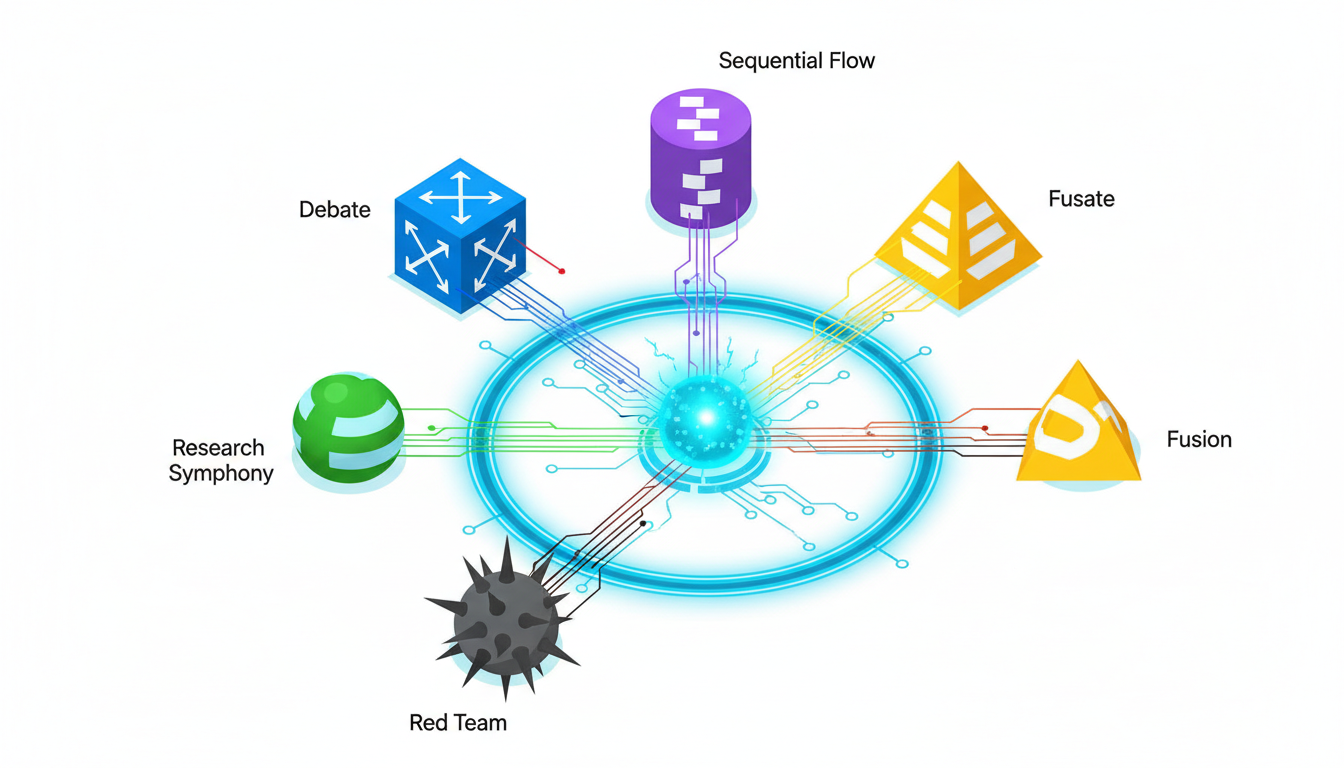
Different tasks require different validation approaches. The 5-Model AI Boardroom provides multiple orchestration modes to match your validation needs:
- Debate Mode: Models challenge each other’s reasoning, exposing weak arguments and strengthening conclusions
- Super Mind mode: Models contribute different perspectives, then synthesize a unified analysis
- Red Team Mode: One model attacks another’s conclusions, testing for vulnerabilities and blind spots
- Research Symphony: Models divide research tasks, each exploring different sources or angles
- Sequential Mode: Models build on each other’s work, refining outputs through multiple passes
Choose the mode based on your validation goal. Need to stress-test an investment thesis? Use Debate or Red Team. Building a comprehensive market analysis? Use Research Symphony. Refining a legal memo? Use Sequential with multiple review passes.
Source Triangulation and Citation Validation
AI models sometimes cite sources that don’t exist or misrepresent what sources actually say. This problem-often called hallucination-creates serious risk for professional work.
Combat this with source triangulation. When AI cites a claim, verify it appears in multiple independent sources. Use the Knowledge Graph to map relationships between sources and track how claims propagate through your research.
Best practices for citation validation:
- Require AI to cite specific page numbers or sections, not just document titles
- Cross-check claims against original sources before using them
- Flag any claim that appears in only one source for manual verification
- Use multiple models to generate citations independently, then compare for consistency
- Maintain an audit trail showing which sources informed which conclusions
Human-in-the-Loop Review Gates
Validation isn’t complete without human review. Build explicit review gates into your workflows:
- Draft review: Human reviews AI-generated drafts before they inform decisions
- Quality check: Human verifies outputs meet accuracy and completeness standards
- Context validation: Human confirms AI understood the specific situation correctly
- Final approval: Human takes accountability for the decision or output
The Context Fabric helps by maintaining persistent context across conversations. Reviewers see the full history of how conclusions developed, making validation faster and more thorough.
Risk Management: Mapping Controls to Workplace AI Risks
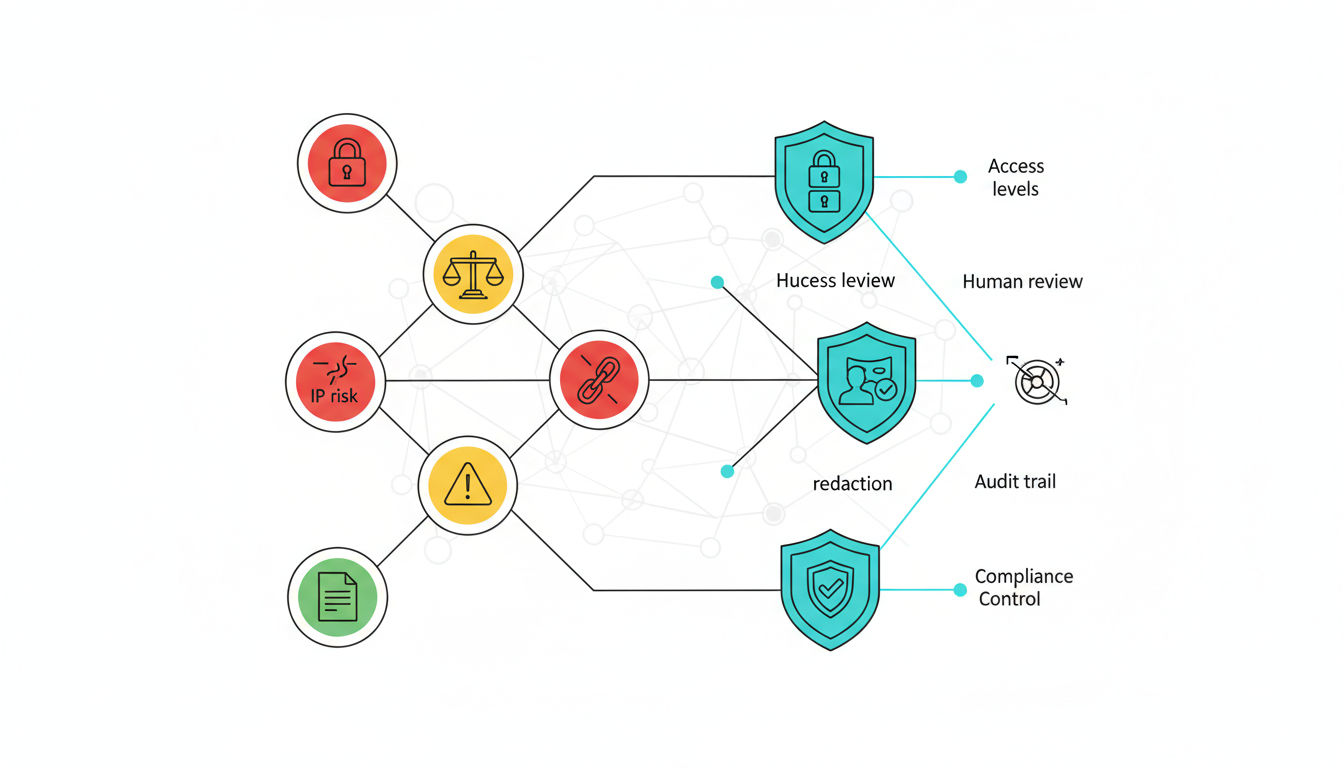
AI introduces new risks alongside new capabilities. Address these risks with specific controls, not generic policies. This section maps common AI risks to concrete mitigation strategies.
Privacy and Data Protection
Risk: AI models process sensitive information that could leak through prompts, training data, or model outputs. Client data, proprietary research, or confidential strategies could be exposed.
Controls to implement:
- Use models that don’t train on your inputs (verify vendor data retention policies)
- Implement access tiers so only authorized users can access sensitive data
- Redact personally identifiable information before AI processing
- Maintain audit logs showing who accessed what data and when
- Establish data classification rules (public, internal, confidential, restricted)
Bias and Fairness
Risk: AI models reflect biases in their training data. These biases can affect hiring recommendations, risk assessments, or customer segmentation in ways that disadvantage certain groups.
Controls to implement:
- Use multiple models from different vendors to reduce single-model bias
- Test outputs for demographic disparities before deployment
- Require human review for any decision affecting people (hiring, promotion, credit)
- Document decision criteria explicitly so bias can be detected and corrected
- Monitor outcomes over time to catch bias that emerges in practice
Multi-model orchestration helps here. When models disagree, investigate whether bias explains the difference. When models agree, test whether they share common biases from similar training data.
Intellectual Property and Attribution
Risk: AI-generated content may incorporate copyrighted material without proper attribution. Outputs may be difficult to protect as your own IP. These issues create legal exposure.
Controls to implement:
- Review AI outputs for potential copyright infringement before publication
- Maintain records showing how outputs were created (prompts, sources, review steps)
- Use plagiarism detection tools on AI-generated content
- Add human creative input to outputs you want to protect as your IP
- Consult legal counsel on IP implications for your specific use cases
Compliance and Regulatory Requirements
Risk: Regulated industries face specific requirements around data handling, decision documentation, and oversight. AI systems may not meet these requirements by default.
Controls to implement:
- Map AI use cases to applicable regulations (GDPR, HIPAA, SOX, etc.)
- Document AI decision processes to satisfy regulatory audit requirements
- Implement human oversight for regulated decisions
- Maintain audit trails showing inputs, outputs, and approval chains
- Conduct regular compliance reviews of AI systems and workflows
Accuracy and Hallucination Risk
Risk: AI models generate plausible-sounding content that may be factually incorrect. This risk is highest for specialized knowledge, recent events, or complex reasoning.
Controls to implement:
- Use multi-model validation to catch inconsistencies
- Require citations for factual claims
- Verify citations against original sources
- Flag low-confidence outputs for extra human review
- Maintain feedback loops so errors inform future validation
Role-Based Use Cases with Validated Workflows
AI implementation succeeds when it solves specific problems for specific roles. This section provides validated workflows for common high-stakes use cases.
Legal Research and Memo Validation
Legal professionals need to find relevant precedents, analyze their application, and draft persuasive arguments. AI accelerates research and drafting, but legal reasoning remains human work.
Validated workflow for legal analysis:
- Define research question and jurisdiction
- Use Research Symphony mode to search multiple legal databases simultaneously
- Ask each model to identify relevant cases and statutes independently
- Compare results to find consensus precedents and unique findings
- Use Debate mode to analyze how precedents apply to your specific facts
- Generate draft memo with citations
- Verify all citations against original case text
- Human lawyer reviews reasoning and finalizes argument
Validation gates: Citation verification, reasoning review, final approval by licensed attorney. Acceptance criteria: All cited cases exist and support the claims made about them. Reasoning follows legal standards for the jurisdiction.
Investment Due Diligence and Thesis Development
Investment analysts evaluate companies, industries, and market trends to build investment theses. AI helps process large volumes of financial data, news, and research reports.
Validated workflow for due diligence:
- Gather target company financials, filings, news, and competitor data
- Use Super Mind mode to synthesize financial performance across multiple periods
- Use Research Symphony to analyze industry trends from various sources
- Use Red Team mode to challenge bullish or bearish assumptions
- Generate draft investment memo with supporting data
- Verify all financial figures against original filings
- Human analyst reviews conclusions and tests sensitivity to key assumptions
- Final approval by investment committee
Validation gates: Data verification, assumption testing, committee review. Acceptance criteria: All data points trace to verified sources. Key assumptions are explicitly stated and tested. Risks and counterarguments are addressed.
Competitive Intelligence for Product Marketing
Product marketers need to understand competitor positioning, feature sets, and messaging to develop differentiated strategies. AI processes competitor websites, reviews, and analyst reports faster than manual research.
Validated workflow for competitive analysis:
- Identify key competitors and information sources
- Use Research Symphony to analyze each competitor’s messaging, features, and pricing
- Use Super Mind mode to synthesize competitive landscape
- Use Debate mode to test positioning options against competitive strengths
- Generate competitive positioning matrix and messaging recommendations
- Verify competitor claims against their actual websites and materials
- Human marketer reviews for strategic fit and brand voice
- Test messaging with target customers before launch
Validation gates: Source verification, brand voice review, customer testing. Acceptance criteria: Competitor information is current and accurate. Positioning is differentiated and defensible. Messaging matches brand voice.
Research Synthesis for Strategic Decisions
Executives and strategists need to synthesize information from multiple domains-market trends, technology shifts, regulatory changes, competitive moves-to make strategic decisions.
Validated workflow for strategic research:
- Define strategic question and decision criteria
- Identify information sources across relevant domains
- Use Research Symphony to analyze each domain independently
- Use Super Mind mode to identify cross-domain patterns and implications
- Use Red Team mode to stress-test strategic options
- Generate decision memo with recommendations and risk analysis
- Verify key facts and assumptions
- Human leaders review, debate, and decide
Validation gates: Fact checking, assumption testing, leadership review. Acceptance criteria: Analysis covers all relevant domains. Recommendations are supported by evidence. Risks and alternatives are clearly presented.
RFP Response Development
Responding to complex RFPs requires synthesizing capabilities, case studies, and technical details into persuasive proposals. AI helps draft responses faster while maintaining consistency with company positioning.
Validated workflow for RFP responses:
- Analyze RFP requirements and scoring criteria
- Use Sequential mode to draft responses section by section
- Use Debate mode to strengthen value propositions and differentiation
- Use Super Mind mode to ensure consistency across sections
- Generate complete draft proposal
- Verify all capability claims against actual product features
- Human subject matter experts review technical accuracy
- Final review by proposal manager for compliance and persuasiveness
Validation gates: Capability verification, technical review, compliance check. Acceptance criteria: All claims are accurate and supportable. Proposal addresses all RFP requirements. Tone and messaging match company standards.
Measuring Impact: The Quality-Speed-Cost-Risk Framework
AI programs fail when teams can’t prove business value. Measure impact across four dimensions: Quality, Speed, Cost, and Risk. This QSCR framework provides concrete metrics for AI success.
Quality Metrics
Quality measures whether AI-assisted work meets professional standards. Track these metrics:
- Accuracy rate: Percentage of AI outputs that pass human review without significant corrections
- Completeness score: Whether outputs address all requirements (measured against checklist)
- Citation quality: Percentage of citations that are correct and relevant
- Revision cycles: Number of review-and-revise iterations needed to reach final quality
- Error rate: Factual errors, logical flaws, or compliance issues per output
Set baseline quality standards before AI implementation. Measure whether AI-assisted work meets, exceeds, or falls short of these standards. Quality should improve or stay constant-never degrade-as you scale AI usage.
Speed Metrics
Speed measures time savings from AI augmentation. Track these metrics:
- Time to first draft: How long it takes to produce an initial version
- Research time: Hours spent gathering and analyzing information
- Review time: Hours spent validating and refining outputs
- Total cycle time: End-to-end time from request to final delivery
- Throughput: Number of tasks completed per person per time period
Measure baseline performance before AI, then track improvements. Typical results: 40-60% reduction in research time, 30-50% reduction in time to first draft, 20-30% reduction in total cycle time. Your results will vary based on task complexity and validation requirements.
Cost Metrics
Cost measures the economic impact of AI implementation. Track these metrics:
- Direct costs: AI platform fees, API usage, and infrastructure
- Labor costs: Hours saved multiplied by loaded hourly rate
- Opportunity costs: Value of additional work completed with saved time
- Quality costs: Errors caught before vs after deployment
- Training costs: Time and resources spent on AI education and adoption
Calculate ROI by comparing labor savings plus opportunity value against direct and training costs. Most teams see positive ROI within 3-6 months for knowledge work use cases.
Risk Metrics
Risk measures whether AI introduces new vulnerabilities or reduces existing ones. Track these metrics:
- Error detection rate: Percentage of AI errors caught before impact
- Compliance incidents: Violations or near-misses related to AI usage
- Data exposure events: Unauthorized access or leakage of sensitive information
- Bias indicators: Disparate outcomes across demographic groups
- Audit trail completeness: Percentage of AI decisions with full documentation
Risk metrics should improve as you implement controls. Better validation catches more errors before impact. Better governance reduces compliance incidents. Better access controls prevent data exposure.
Establishing Baseline and Target Metrics
Before implementing AI, measure current performance across QSCR dimensions. This baseline lets you prove impact later. Set realistic targets based on task complexity and risk tolerance:
- Low-risk tasks: Target 60-70% time savings, maintain quality
- Medium-risk tasks: Target 40-50% time savings, improve quality through validation
- High-risk tasks: Target 20-30% time savings, significantly improve quality through multi-model validation
Review metrics monthly. Adjust workflows and controls based on results. Share successes to drive broader adoption. Address failures quickly to maintain trust.
Data, Context, and Knowledge Management
AI quality depends on the information it accesses. Effective workplace AI requires thoughtful approaches to data management, context handling, and knowledge organization.
Retrieval-Augmented Generation (RAG)
RAG connects AI models to your organization’s documents and data. Instead of relying only on training data, models retrieve relevant information from your knowledge base to inform responses.
RAG benefits for workplace AI:
- Answers based on your actual documents, not generic knowledge
- Citations trace back to specific sources in your system
- Information stays current as you update documents
- Reduces hallucination by grounding responses in real data
- Respects access controls so users only see authorized information
Implementing RAG requires organizing your knowledge base, setting up retrieval systems, and configuring access controls. The upfront work pays off through more accurate and relevant AI outputs.
Context Windows and Persistent Context
AI models have limited context windows-the amount of information they can consider at once. Early models handled a few thousand words. Current models handle tens of thousands. But complex professional work often requires more context than any single window can hold.
Persistent context management solves this. The Context Fabric maintains conversation history, referenced documents, and prior decisions across multiple interactions. When you return to a project days or weeks later, the AI remembers what you discussed and what conclusions you reached.
Benefits of persistent context:
- No need to re-explain background information in every conversation
- AI builds on prior analysis instead of starting fresh each time
- Consistency across related tasks and decisions
- Audit trail showing how conclusions evolved over time
- Team members can pick up where others left off
Knowledge Graphs for Relationship Mapping
Complex decisions involve many interconnected facts, sources, and relationships. Knowledge graphs make these connections explicit and navigable.
A Knowledge Graph represents information as nodes (entities) and edges (relationships). For example, a legal research graph might connect cases, statutes, judges, and legal principles. An investment graph might connect companies, executives, competitors, and market trends.
Knowledge graph benefits:
- Visualize how information connects across documents and sources
- Trace how claims and conclusions depend on underlying evidence
- Identify gaps where relationships are missing or unclear
- Navigate large information spaces more efficiently
- Detect inconsistencies when the same entity is described differently
Build knowledge graphs incrementally as you work. Each research session adds nodes and edges. Over time, the graph becomes a valuable asset representing your organization’s collective knowledge and how it fits together.
Watch this video about ai in the workplace:
Data Classification and Access Control
Not all information should be accessible to all users or AI models. Implement data classification to control access:
- Public: Information that can be shared externally (marketing content, published research)
- Internal: Information for employees but not external parties (policies, procedures)
- Confidential: Sensitive business information (financials, strategies, customer data)
- Restricted: Highly sensitive information with strict access controls (legal matters, M&A, personnel)
Configure AI systems to respect these classifications. Users should only retrieve information they’re authorized to access. Models should only process data appropriate for the task and user role.
Governance and AI Policy Development
Scaling AI safely requires governance-clear policies, defined roles, and enforcement mechanisms. This section provides a framework for building AI governance that enables productivity while managing risk.
Core Elements of an AI Policy
An effective AI policy addresses these elements:
- Acceptable use: What tasks and workflows can use AI
- Prohibited use: What tasks must not use AI (red zone from earlier)
- Data handling: What data can be processed by AI and under what conditions
- Validation requirements: When human review is required and what it must verify
- Documentation standards: What records must be kept for AI-assisted work
- Accountability: Who is responsible for AI outputs and decisions
Start with a simple policy covering the most common use cases. Expand as you learn what works and what creates problems. Review and update quarterly based on experience and changing technology.
Access Tiers and Role-Based Controls
Different roles need different AI capabilities and data access. Implement tiered access:
- Basic tier: General employees using AI for routine tasks with public/internal data
- Professional tier: Knowledge workers using AI for analysis with confidential data
- Advanced tier: Specialists using multi-model orchestration for high-stakes decisions
- Admin tier: IT and governance teams managing systems and monitoring usage
Each tier has different capabilities, data access, and validation requirements. Basic users might use single-model chat with limited data access. Advanced users get multi-model orchestration with access to sensitive data but stricter validation requirements.
Audit Logging and Monitoring
Governance requires visibility. Implement comprehensive audit logging:
- Who used AI (user identity and role)
- What they did (prompts, documents accessed, models used)
- When they did it (timestamps for all actions)
- What outputs were generated (full conversation history)
- What validation steps were completed (review gates passed or failed)
- What decisions or actions resulted (final outputs and approvals)
Use logs for compliance audits, quality improvement, and incident investigation. Aggregate logs to identify patterns-which use cases succeed, which fail, where users struggle, where risks emerge.
Human-in-the-Loop Signoff Requirements
Define clear signoff requirements based on task risk and impact:
- Self-review: User reviews their own AI-assisted work (low-risk tasks)
- Peer review: Another team member reviews before use (medium-risk tasks)
- Expert review: Subject matter expert reviews technical accuracy (high-risk tasks)
- Management approval: Manager or executive approves before action (critical decisions)
Document who reviewed what and what they checked. This creates accountability and provides evidence that proper controls were followed.
Incident Response and Continuous Improvement
AI systems will produce errors and unexpected outputs. Plan for this:
- Establish clear reporting procedures when AI outputs are wrong or problematic
- Investigate incidents to understand root causes
- Update policies, training, or systems based on lessons learned
- Share learnings across teams to prevent similar incidents
- Track incident trends to identify systemic issues
Treat incidents as learning opportunities, not just problems to fix. Teams that learn from failures improve faster than teams that hide them.
Change Management and Adoption Strategy
Technology alone doesn’t change how organizations work. Successful AI adoption requires deliberate change management-training, incentives, and cultural shifts.
Training Paths for Different Roles
Different roles need different AI skills. Design training paths that match:
- All employees: AI basics, acceptable use policy, when to use vs not use AI
- Knowledge workers: Prompt engineering, validation techniques, role-specific workflows
- Managers: Quality review, governance enforcement, performance measurement
- Executives: Strategic implications, risk oversight, ROI evaluation
- AI champions: Advanced techniques, workflow design, peer coaching
Deliver training in stages. Start with awareness and policy. Add skills training as users engage with specific use cases. Provide ongoing learning as technology and best practices evolve.
Building Internal Champions and Communities
AI adoption spreads through peer influence more than top-down mandates. Cultivate champions who demonstrate value and help others succeed:
- Identify early adopters who achieve measurable results
- Give them time and recognition to share learnings with peers
- Create communities of practice where users exchange tips and workflows
- Celebrate successes publicly to build momentum
- Connect champions across departments to cross-pollinate ideas
Champions should represent diverse roles and use cases. A legal champion helps other lawyers. A finance champion helps other analysts. Cross-functional champions help teams collaborate.
Incentives and Performance Integration
What gets measured gets done. Integrate AI into performance management:
- Include AI proficiency in role competencies and development plans
- Recognize and reward effective AI usage in performance reviews
- Set team goals for AI adoption and impact metrics
- Share productivity gains from AI across teams
- Make AI skills part of hiring criteria for relevant roles
Balance productivity incentives with quality and compliance requirements. Don’t reward speed if it comes at the cost of accuracy or risk management.
Addressing Resistance and Concerns
Some team members will resist AI adoption. Common concerns include:
- Job security fears
- Skepticism about AI quality
- Preference for familiar workflows
- Concerns about ethical implications
- Overwhelm from rapid technology change
Address these concerns directly:
- Frame AI as augmentation, not replacement
- Show concrete examples of quality improvements
- Let users try AI on low-stakes tasks first
- Discuss ethics openly and implement strong governance
- Provide adequate time and support for learning
Some resistance is healthy-it surfaces risks and forces you to prove value. Listen to concerns and adjust your approach based on valid feedback.
Implementation Roadmap: 30-60-90 Day Plan
Successful AI implementation follows a phased approach. This roadmap provides milestones for the first 90 days.
Days 1-30: Foundation and Pilot
Focus on establishing governance and running initial pilots:
- Week 1: Define acceptable use policy and prohibited use cases
- Week 2: Set up access controls and audit logging
- Week 3: Train pilot team on AI basics and validation techniques
- Week 4: Run pilot projects with 2-3 use cases and measure baseline performance
Deliverables: Approved AI policy, configured access controls, trained pilot team, baseline metrics for pilot use cases.
Days 31-60: Validation and Refinement
Focus on validating pilot results and refining workflows:
- Week 5: Review pilot results against QSCR metrics
- Week 6: Refine workflows based on lessons learned
- Week 7: Document standard operating procedures for successful use cases
- Week 8: Expand pilot to additional team members
Deliverables: Pilot results report, refined workflows, documented SOPs, expanded pilot team.
Days 61-90: Scale and Measure
Focus on broader rollout and establishing measurement systems:
- Week 9: Train additional teams on validated workflows
- Week 10: Implement automated monitoring and reporting
- Week 11: Launch community of practice and champion network
- Week 12: Review 90-day results and plan next phase
Deliverables: Broader adoption across teams, automated monitoring dashboard, active community of practice, 90-day results report with ROI analysis.
Success Criteria and Readiness Checklist
Use this checklist to assess readiness at each phase:
- Policy and governance framework approved and communicated
- Access controls and audit logging configured and tested
- Training materials developed and delivered to pilot team
- Baseline metrics established for target use cases
- Validation workflows documented and tested
- Pilot results demonstrate measurable value (positive ROI or clear path to ROI)
- Standard operating procedures documented for successful use cases
- Monitoring and reporting systems in place
- Champions identified and actively supporting adoption
- Incident response procedures tested and working
Don’t advance to the next phase until current phase criteria are met. Rushing scale before validation creates risk and wastes resources.
Building Your AI Team with Specialized Roles
Different tasks require different AI capabilities. The concept of specialized AI teams lets you configure multiple models with different roles to match your workflow needs.
Think of it like assembling a project team. You wouldn’t assign the same person to research, draft, critique, and finalize. You’d assign specialists. The same principle applies to AI orchestration.
Researcher Role: Information Gathering and Synthesis
Researcher models excel at finding relevant information across large document sets. Configure them for:
- Comprehensive search across multiple sources
- Summarization of key findings
- Citation and source tracking
- Pattern identification across documents
Use researcher models early in your workflow to gather raw material. They provide breadth-covering more ground than humans can efficiently search.
Analyst Role: Deep Analysis and Reasoning
Analyst models focus on interpretation and reasoning. Configure them for:
- Detailed examination of specific documents or data
- Logical reasoning and argument construction
- Comparison and contrast across options
- Implication analysis and scenario planning
Use analyst models after research to make sense of findings. They provide depth-examining nuances and building coherent arguments.
Critic Role: Quality Assurance and Red Teaming
Critic models challenge conclusions and identify weaknesses. Configure them for:
- Identifying logical flaws and unsupported claims
- Testing arguments against counterarguments
- Checking for bias and missing perspectives
- Validating citations and fact-checking
Use critic models to stress-test outputs before finalization. They catch problems that researcher and analyst models might miss.
Writer Role: Communication and Presentation
Writer models focus on clear communication. Configure them for:
- Translating analysis into accessible language
- Structuring information for specific audiences
- Maintaining consistent tone and style
- Formatting for different mediums (memo, presentation, report)
Use writer models to transform validated analysis into final deliverables. They bridge the gap between technical accuracy and stakeholder communication.
Learn how to build a specialized AI team configured for your specific workflow needs.
Advanced Use Cases: Investment and Strategic Decisions
Some decisions require particularly rigorous validation. Investment decisions and strategic planning benefit from advanced orchestration techniques.
Investment Thesis Development with Multi-Model Validation
Building an investment thesis requires synthesizing financial data, industry trends, competitive dynamics, and management quality. Single-model analysis misses nuances or overweights certain factors.
Advanced workflow for investment decisions:
- Research team gathers all relevant data (financials, filings, news, competitor info)
- Multiple analyst models examine different aspects independently (financial health, market position, growth prospects, risks)
- Super Mind mode synthesizes perspectives into integrated analysis
- Debate mode tests bull and bear cases against each other
- Red team mode attacks the thesis to find vulnerabilities
- Critic models verify all data points and check reasoning
- Writer model drafts investment memo
- Human investment team reviews, validates assumptions, and makes final decision
This workflow produces more robust theses by forcing explicit consideration of multiple perspectives and stress-testing conclusions before commitment.
Strategic Planning with Scenario Analysis
Strategic decisions involve uncertainty about future conditions. Scenario analysis helps test strategies against different possible futures.
Advanced workflow for strategic planning:
- Define strategic question and decision criteria
- Identify key uncertainties (market trends, technology shifts, competitive moves, regulatory changes)
- Generate multiple scenarios representing different combinations of uncertainties
- Use analyst models to evaluate strategy performance in each scenario
- Use debate mode to identify robust strategies that work across scenarios
- Use red team mode to find scenario combinations that break proposed strategies
- Synthesize findings into strategic recommendations with contingency plans
- Human leadership team reviews, debates, and decides
This workflow produces strategies that are resilient to uncertainty rather than optimized for a single predicted future.
Frequently Asked Questions
How do I know if my team is ready for workplace AI?
Readiness depends on three factors: clear use cases, governance capacity, and change management resources. If you can identify specific tasks where AI would add value, have someone who can write and enforce policies, and can dedicate time to training and support, you’re ready to start. Begin with low-risk pilots to build experience before expanding to high-stakes use cases.
What’s the difference between using multiple models versus just using the best single model?
No single model is best at everything. Different models have different strengths, training data, and reasoning approaches. Using multiple models simultaneously catches errors that any single model might miss, provides diverse perspectives on complex questions, and reduces the risk of systematic bias. Think of it like getting second opinions on important decisions.
How long does it take to see ROI from workplace AI implementation?
Most teams see positive ROI within 3-6 months for knowledge work use cases. Initial setup takes 30-60 days (policy, training, pilots). Measurable productivity gains appear within 60-90 days as teams learn effective workflows. ROI improves over time as adoption spreads and workflows mature. The key is starting with high-value use cases and measuring impact from day one.
What are the biggest risks of workplace AI and how do I mitigate them?
The biggest risks are inaccurate outputs, data privacy breaches, bias in decisions, and compliance violations. Mitigate these through multi-model validation, access controls, human review gates, and comprehensive audit logging. Don’t rely on AI for final decisions in high-stakes situations. Always maintain human accountability and implement explicit governance controls.
How do I prevent AI from replacing jobs on my team?
Position AI as augmentation, not automation. Use AI to eliminate tedious tasks so people can focus on higher-value work requiring judgment and creativity. Invest in training so team members develop AI skills rather than compete with AI. Measure success by increased output and quality, not headcount reduction. Organizations that use AI to enhance human capabilities outperform those that use it to replace humans.
What should I look for in a workplace AI platform?
Look for multi-model support to avoid single-vendor lock-in, robust access controls and audit logging for governance, persistent context management for complex projects, citation and source tracking for validation, and flexible orchestration modes for different task types. Prioritize platforms designed for professional knowledge work over consumer chat tools.
How do I handle situations where AI outputs are confidently wrong?
Implement mandatory validation workflows. Use multi-model orchestration so errors in one model are caught by others. Require citations for factual claims and verify them against sources. Train users to recognize common error patterns. Maintain human review gates for high-stakes outputs. When errors occur, document them, understand root causes, and adjust workflows to prevent recurrence.
Can I use AI with confidential client or customer data?
Yes, but with strict controls. Verify that your AI vendor doesn’t train on your inputs. Implement access controls so only authorized users can access sensitive data. Use data classification to separate public, internal, confidential, and restricted information. Maintain audit logs showing who accessed what data. Consider on-premises or private cloud deployment for highest-sensitivity data. Consult legal counsel about specific regulatory requirements for your industry.
Moving Forward with Validated Augmentation
AI in the workplace succeeds when you treat it as validated augmentation, not unchecked automation. The key principles from this guide:
- Use multi-model orchestration to reduce single-model bias and catch errors
- Implement explicit validation gates with human review for high-stakes decisions
- Adopt a risk-control approach mapping specific risks to concrete mitigation strategies
- Measure impact across Quality, Speed, Cost, and Risk dimensions
- Standardize successful workflows through policies, SOPs, and training
- Scale gradually based on proven results and mature governance
You now have a blueprint for responsibly deploying AI with validation, governance, and measurement built in. Start with one high-value use case. Prove impact. Document what works. Then expand to additional use cases and teams.
The organizations that succeed with workplace AI will be those that combine AI capabilities with human judgment, governance with innovation, and speed with validation. These aren’t tradeoffs-they’re complementary elements of sustainable AI programs.
Ready to explore how multi-model orchestration supports validated augmentation in practice? Review the features that enable validation workflows, persistent context, and governance controls for professional knowledge work.