Product marketing managers face a familiar bottleneck: writing the case study isn’t the hard part. The real challenge is proving every claim, maintaining brand voice, and shepherding drafts through stakeholder approvals while legal questions every unsourced statistic.
Most one-click AI generators produce polished prose that crumbles under scrutiny. Without citation support, consent tracking, and evidence mapping, your drafts stall in review cycles. Teams end up rewriting from scratch, wasting the time AI was supposed to save.
This guide compares AI case study generators through a practitioner’s lens: which tools actually produce approval-ready stories with verifiable claims, consistent voice, and exportable assets? We’ll show you what matters beyond surface-level features and how to evaluate platforms for real-world workflows.
What Actually Makes a Case Study Credible
Before comparing tools, understand what separates a persuasive case study from a rejected draft. Every credible customer story follows a four-part structure:
- Challenge – The problem your customer faced, quantified with baseline metrics
- Solution – How your product addressed specific pain points
- Results – Measurable outcomes tied directly to your solution
- Validation – Third-party proof, customer quotes, or external benchmarks
Each section needs an evidence hierarchy. Direct customer quotes carry weight. Usage data and ROI calculations require source documentation. External benchmarks need citations. Generic claims without backing get flagged in legal review.
The Three Risks Single-Model Tools Create
Traditional AI generators introduce predictable failure points. Hallucinations appear when models fabricate statistics or misattribute quotes. Brand drift happens when generic training data overrides your voice guidelines. Missing consent documentation creates compliance exposure.
These aren’t edge cases. They’re systematic problems that stem from relying on a single model without validation mechanisms. Your approval process exists to catch these issues, but catching them late wastes everyone’s time.
Evaluation Criteria for AI Case Study Generators
Compare platforms using criteria that map to your actual workflow. Surface features matter less than how tools handle the hard parts of case study production.
Citation Support and Evidence Mapping
Can the tool link claims to source documents? Look for platforms that maintain audit trails from interview transcripts, usage reports, and customer emails to specific statements in your draft. Basic generators produce text. Professional tools show you where each claim originates.
The Knowledge Graph approach maps relationships between quotes, metrics, and narrative sections. When legal questions a ROI figure, you trace it back to the original data point in seconds rather than hunting through email threads.
Multi-Model Validation for Claim Accuracy
Single-model outputs reflect one AI’s interpretation. Multi-model orchestration cross-checks claims across different models to surface weak proof points before stakeholders see them.
Debate mode pits models against each other on contentious claims. Red Team mode actively challenges your strongest statements. Super Mind mode synthesizes perspectives to strengthen evidence. These validation layers catch hallucinations and logical gaps that slip past single-model review.
The 5-Model AI Boardroom runs simultaneous analysis across five leading models. When all five agree on a claim, confidence increases. When they diverge, you investigate before publishing.
Brand Voice Consistency Across Drafts
Your brand guidelines don’t change between case studies, but AI outputs often drift. Effective platforms maintain persistent context about tone, terminology, and messaging frameworks across all drafts.
Check whether the tool stores approved examples, terminology databases, and voice guidelines that inform every generation. Context Fabric technology keeps brand parameters active throughout the drafting process rather than requiring you to paste guidelines into every prompt.
Workflow Integration and Approval Management
Case studies move through multiple reviewers: product, legal, customer success, and the customer themselves. Your generator should support this reality with version control, comment threads, and approval tracking.
Look for platforms that let you pause generation mid-stream when you spot issues, queue messages for batch processing, and control response detail levels. Conversation Control features prevent you from waiting through irrelevant output when you need to redirect quickly.
Export Flexibility for Multi-Asset Delivery
You rarely publish one format. Marketing needs a PDF. Sales wants slides. Your website requires HTML. Evaluate whether the platform generates multiple asset types from a single source of truth.
The Master Document Generator approach creates coordinated outputs: a two-page PDF, a six-slide deck, and web-ready HTML from the same validated content. Changes propagate across formats instead of requiring manual synchronization.
Comparing Top AI Case Study Generators

Here’s how leading platforms stack up against practitioner criteria:
| Platform | Evidence Mapping | Multi-Model Validation | Brand Controls | Workflow/Approvals | Export Formats |
|---|---|---|---|---|---|
| Multi-orchestration platforms | Source linking with audit trails | Debate, Red Team, Super Mind modes | Persistent context management | Version control, comment threads | PDF, slides, HTML, markdown |
| Single-model chat tools | Manual citation insertion | Self-review only | Prompt-based guidelines | Copy-paste to external tools | Text output only |
| Template-based generators | Section placeholders | None | Template customization | Basic versioning | PDF, Word templates |
| Marketing automation suites | CRM data integration | None | Brand asset libraries | Campaign workflow integration | Email, web, PDF |
When to Choose Multi-Model Orchestration
Platforms with orchestration capabilities suit teams that need approval-ready drafts on the first pass. If your bottleneck is review cycles rather than initial writing, validation layers pay off immediately.
You’ll benefit most when case studies require rigorous proof standards: enterprise sales, regulated industries, or high-value customer stories where accuracy matters more than speed. The upfront investment in evidence mapping saves time in legal review and customer approval.
When Single-Model Tools Suffice
Simple customer testimonials or low-stakes success snippets don’t need multi-model validation. If you’re creating social media content or internal newsletters where perfect accuracy matters less than volume, basic generators work fine.
Single-model tools also make sense when you have strong internal review processes that catch errors reliably. The tool generates a starting point; your team provides the validation layer through existing workflows.
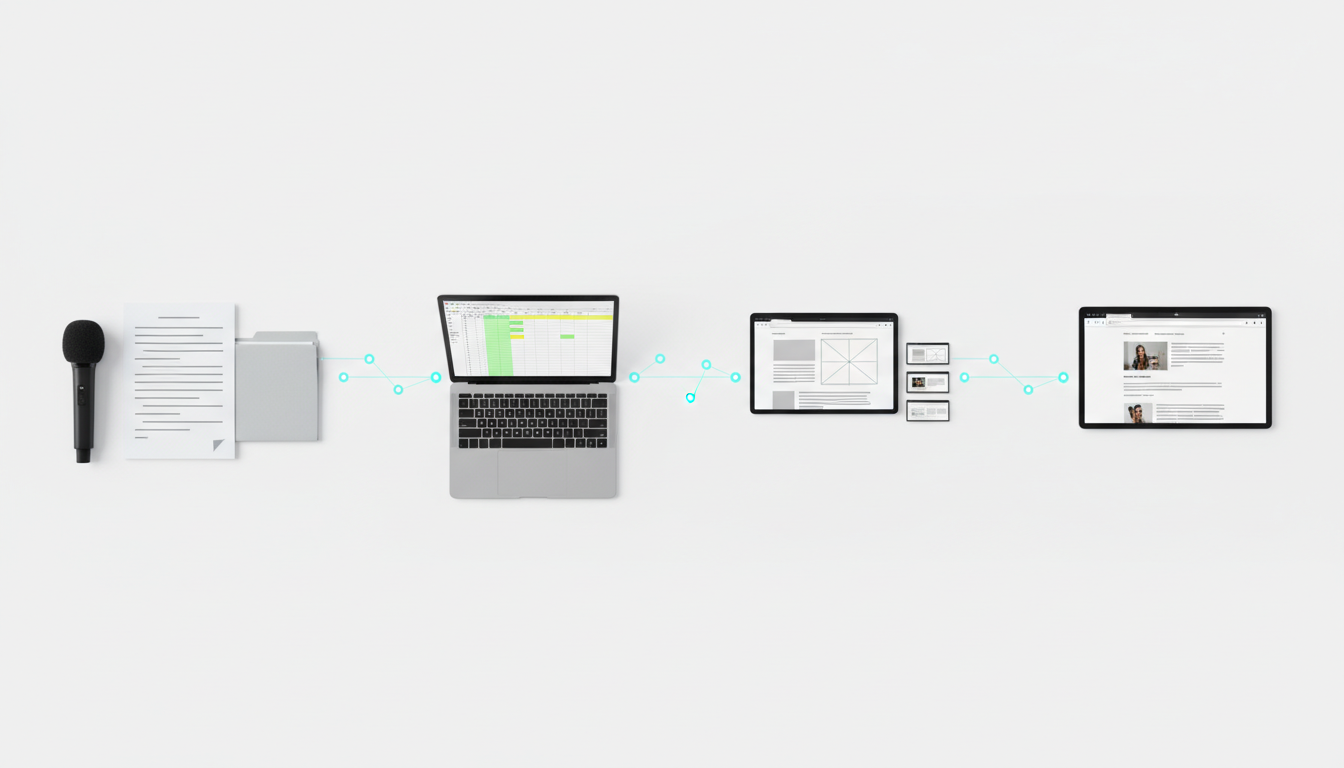
Practical Workflow: From Interview to Multi-Asset Output
Here’s how a complete case study workflow operates with proper tooling:
- Ingest source materials – Upload interview transcripts, usage reports, email threads, and customer metrics
- Run orchestration modes – Use Debate to resolve conflicting data points, Red Team to stress-test bold claims, Super Mind to synthesize evidence
- Generate structured draft – Apply templates that map evidence to Challenge, Solution, Results, and Validation sections
- Review with citations – Verify each claim traces back to source documents through evidence links
- Route for approvals – Send to product, legal, and customer with version tracking and comment threads
- Export final assets – Generate PDF, slide deck, and web HTML from approved content
This workflow reduces time-to-first-draft by handling evidence aggregation automatically. It cuts review iterations by surfacing weak claims before stakeholders see them. Most teams report moving from 3-4 review cycles down to 1-2.
Prompt Patterns for Interview-to-Narrative Conversion
Use structured prompts to transform raw interviews into narrative sections. Start with evidence extraction:
“Extract all quantified outcomes from this transcript. For each metric, identify the baseline, the improvement, and the timeframe. Flag any claims without supporting numbers.”
Then move to narrative construction:
“Using only the extracted metrics, write a Results section that follows this structure: opening statement with primary outcome, three supporting proof points with specific numbers, closing statement that ties results to business impact. Include inline citations to transcript timestamps.”
Red Team Prompts for Claim Validation
Challenge your strongest claims before legal does. Use adversarial prompts:
“Act as a skeptical legal reviewer. Identify the three weakest claims in this case study. For each, explain what evidence is missing and what questions a customer might ask.”
Watch this video about ai case study generator:
This surfaces gaps while you can still fix them. Run red team validation after your first draft but before routing to stakeholders.
Compliance Checklist for Customer Story Production

Every case study needs these approval gates before publication:
- Written consent from the customer for company name, quotes, and metrics
- Data accuracy verification with screenshots or reports backing each statistic
- Legal review for claims, comparisons, and regulatory compliance
- Customer final approval on the complete draft before design
- Brand compliance check against voice guidelines and terminology standards
Build this sequence into your workflow rather than treating it as an afterthought. Tools that support approval workflows let you track which gates each case study has cleared and who owns the next review.
Privacy and Consent Best Practices
Document consent at three levels. First, get permission to create the case study at all. Second, secure approval for specific quotes and data points you plan to use. Third, obtain sign-off on the final published version.
Store consent documentation with the case study assets. When questions arise months later, you need proof that the customer approved not just the concept but the specific claims.
Choosing the Right Platform for Your Team
Match platform capabilities to your actual constraints. If legal review is your bottleneck, prioritize evidence mapping and citation support. If brand consistency causes problems, focus on persistent context management. If stakeholder alignment takes the most time, emphasize workflow and approval features.
Test platforms with a real case study from your backlog. Don’t evaluate on simple examples. Use a complex customer story with multiple data sources, conflicting information, and high approval standards. See which tool actually reduces your review cycles.
Consider these questions during evaluation:
- Can you trace every claim back to source documents in under 30 seconds?
- Does the platform catch hallucinations before you send drafts to legal?
- Do brand guidelines persist across multiple case studies without re-prompting?
- Can you export publication-ready assets in your required formats?
- Does the workflow match how your team actually routes approvals?
Implementation Timeline and Training
Budget two weeks for platform setup and team training. Week one covers account configuration, template creation, and brand guideline integration. Week two involves pilot case studies with close review of outputs.
Start with a backlog case study where you already have all source materials. This lets you compare AI-generated drafts against your manual process without time pressure. Measure draft quality, review cycles, and time savings before rolling out to active projects.
Advanced Techniques for Power Users
Once basic workflows run smoothly, layer in advanced orchestration patterns. Use Sequential mode when you need one model to analyze data, another to draft narrative, and a third to polish voice. Each model specializes in its strength rather than handling everything.
Apply Research Symphony for case studies that require external validation. The platform searches for industry benchmarks, competitive comparisons, and third-party data that strengthens your customer’s results. This adds credibility beyond internal metrics.
Implement Targeted mode when specific sections need expert attention. Route financial claims to models trained on business analysis. Send technical implementation details to models with strong domain knowledge. Let generalist models handle narrative flow.
Measuring Case Study Performance
Track metrics that show whether better production quality translates to business results:
- Time-to-publish from interview to final assets
- Review iterations before stakeholder approval
- Legal rejections due to unsupported claims
- Customer approval rate on first submission
- Asset reuse across sales, marketing, and customer success
Effective AI case study generation should cut time-to-publish by 40-60% while maintaining or improving approval rates. If you’re not seeing those gains, revisit your evidence mapping and validation workflows.
Frequently Asked Questions
How do I prevent AI from making up statistics in case studies?
Use multi-model validation to cross-check every quantified claim. Run Red Team mode to challenge statistics before publication. Require source citations for all metrics and verify them manually during first review. Never publish numbers that don’t trace back to customer-provided data or usage reports.
What’s the best way to maintain brand voice across multiple case studies?
Store approved examples and terminology guidelines in persistent context rather than pasting them into each prompt. Use platforms that maintain brand parameters across conversations. Review the first three case studies closely to tune voice settings, then spot-check subsequent outputs rather than full reviews.
How should I handle customer approval requirements?
Build customer review into your workflow as a formal approval gate. Send drafts with inline comments enabled so customers can flag concerns directly. Document all feedback and final approval in writing. Never publish without explicit customer sign-off on the complete final version.
Which export formats matter most for B2B case studies?
PDF remains essential for sales collateral and email distribution. Slide decks support presentations and pitch meetings. HTML enables website publication and SEO benefits. Generate all three from a single source of truth to avoid version control issues across channels.
How do I evaluate whether an AI generator is worth the investment?
Run a pilot with three backlog case studies. Measure time savings, review cycle reduction, and approval rates compared to your manual process. Calculate the cost of your team’s time spent on case study production. If the platform saves 20+ hours per case study, it pays for itself quickly at typical marketing salary levels.
What role do templates play in AI case study generation?
Templates provide structure that guides AI output into your preferred format. They ensure consistent section ordering, evidence placement, and visual hierarchy. Effective templates include placeholders for citations, proof points, and customer quotes that AI must populate with verified information.
Moving from Generic Generators to Professional Workflows
Most teams start with basic AI chat tools and hit a ceiling when outputs don’t meet approval standards. The path forward involves three shifts: prioritizing evidence quality over writing speed, implementing validation layers before stakeholder review, and adopting platforms that support your complete workflow rather than just initial drafting.
Professional case study production requires tools designed for high-stakes content where accuracy and credibility matter. Evaluate platforms based on how they handle the hard parts: citation management, multi-model validation, brand consistency, approval workflows, and multi-asset export.
The right platform reduces time-to-publish while improving approval rates. You ship persuasive, credible case studies faster because validation happens during generation rather than after multiple review cycles.
Explore how orchestration features align with your evaluation criteria. Compare capabilities against your workflow requirements to identify which platform matches your team’s actual constraints and approval standards.