For leaders who sign off on high-stakes work, one unchallenged AI output can be a liability. A single model’s answer might sound authoritative, but without verification it could drift from facts, hallucinate references, or omit critical counterarguments. When you’re validating an investment thesis, reviewing a legal brief, or conducting due diligence, you need more than a clever paragraph. You need structured critique, cross-model consensus, and an audit trail that shows how the conclusion was reached.
Single-model answers lack provenance. In regulated or high-impact environments, that’s a risk you can’t afford. Enter the multi-AI decision validation orchestrator: a coordination layer that runs multiple models in parallel or sequence, structures their debate, applies red teaming, and fuses outputs while preserving context and evidence. This pillar explains what these orchestrators are, why they matter, and how to deploy them in professional workflows using patterns like Debate, Red Team, Super Mind, and Sequential modes.
This guide leverages Suprmind’s AI Boardroom, orchestration modes, and Context Fabric to translate theory into operational patterns. You’ll learn reference architectures, validation workflows, and governance controls that make multi-model validation repeatable and auditable.
What Is a Multi-AI Decision Validation Orchestrator?
A multi-AI decision validation orchestrator is a coordination system that runs multiple AI models against the same prompt or dataset, structures their outputs for comparison, and applies validation patterns to surface consensus, dissent, and gaps. Unlike a single-model chat interface, an orchestrator treats AI outputs as hypotheses to be tested rather than final answers.
Core Architecture Components
An orchestrator combines five layers to enable validation at scale:
- Coordination layer – routes prompts to selected models and manages execution order (parallel, sequential, or conditional)
- Context layer – preserves conversation history, document references, and intermediate reasoning across sessions
- Evidence store – links outputs to source documents, citations, and provenance metadata
- Governance controls – applies conversation control, message queuing, and deep thinking to manage output quality
- Logging and review – records model votes, dissent rationales, and consensus scores for audit trails
The coordination layer is the brain of the system. It decides which models run when, how their outputs are compared, and which validation pattern applies. The context layer ensures that every model has access to the same background information, so comparisons are fair. The evidence store grounds outputs in source material, making it possible to trace claims back to original documents.
Why Orchestration Beats Single-Model Prompting
Single-model outputs suffer from three structural weaknesses:
- Drift – models trained on different datasets or with different reinforcement learning will produce inconsistent answers to the same question
- Hallucination – without cross-validation, a model can fabricate references, statistics, or legal citations that sound plausible but are false
- Blind spots – every model has gaps in its training data or reasoning patterns; a single model can’t identify its own weaknesses
Orchestration addresses these by running multiple models and comparing their outputs. When three models agree on a conclusion but one dissents, that dissent becomes a signal to investigate further. When a model cites a source that others don’t mention, you can verify whether that source exists and supports the claim. Consensus across models provides a confidence metric that single-model outputs can’t deliver.
Validation Patterns and Orchestration Modes
Different tasks require different validation strategies. A validation pattern is a structured workflow that defines how models interact, what outputs you compare, and how you resolve disagreements. Suprmind’s orchestration modes implement these patterns through the AI Boardroom, where you can coordinate five or more models simultaneously.
Debate Mode – Adversarial Testing
Debate mode runs two or more models in an adversarial conversation. One model proposes a thesis, another challenges it, and the exchange continues until they reach consensus or identify unresolved points. This pattern is ideal for testing arguments, exploring counterarguments, and surfacing hidden assumptions.
- Use Debate when you need to stress-test a recommendation before presenting it to stakeholders
- Assign one model to argue for a position and another to argue against it
- The exchange reveals weak points in reasoning, unsupported claims, and alternative interpretations
- Record the final consensus and any unresolved dissent for review
In a legal analysis workflow, you might use Debate to test a case strategy. One model argues for a particular interpretation of precedent, while another challenges it by citing conflicting rulings. The back-and-forth exposes gaps in the argument that a single model would miss. Use Research Symphony for multi-source synthesis when you need to pull evidence from multiple documents before running the debate.
Red Team Mode – Adversarial Validation
Red Team mode assigns one model to critique another’s output. The primary model generates a draft, and the red team model attacks it by identifying logical flaws, unsupported claims, and alternative explanations. This pattern is critical for high-stakes decisions where errors have significant consequences.
- Use Red Team when you need to validate a final output before signing off
- The primary model produces a recommendation, memo, or analysis
- The red team model challenges every assertion, requests evidence, and proposes counterarguments
- You review both outputs and decide whether to revise or proceed
In due diligence workflows, Red Team mode can validate an investment memo by having one model critique the financial projections, market assumptions, and risk factors. The red team model might flag overly optimistic revenue forecasts or identify regulatory risks that the primary model overlooked. See Red Team mode for step-by-step examples of adversarial validation in action.
Super Mind mode – Consensus Synthesis
Super Mind mode runs multiple models in parallel and synthesizes their outputs into a single consensus document. Each model receives the same prompt and context, and the orchestrator compares their responses to identify common themes, unique insights, and disagreements. The final output combines the best elements from each model.
- Use Super Mind when you need a balanced synthesis that incorporates multiple perspectives
- All models run simultaneously with identical inputs
- The orchestrator identifies consensus points and flags dissenting opinions
- You review the fused output and decide whether to investigate dissent or accept the consensus
Super Mind is ideal for research synthesis tasks where you need to combine insights from multiple models without running a full debate. For example, when analyzing market trends across several reports, Super Mind can aggregate the models’ interpretations and highlight where they agree or diverge. Learn how Context Fabric preserves evidence and intent to ensure that all models have access to the same source documents during fusion.
Sequential Mode – Iterative Refinement
Sequential mode runs models one after another, with each model building on the previous model’s output. This pattern is useful for multi-stage workflows where each step requires different capabilities or perspectives.
- The first model generates an initial draft or analysis
- The second model reviews and refines the output, adding detail or correcting errors
- The third model performs a final quality check or synthesis
- You review the final output and trace back through the sequence to understand how the conclusion evolved
Sequential mode is common in legal workflows where one model drafts a brief, another reviews it for precedent accuracy, and a third checks citation formatting. Each model specializes in a different aspect of the task, and the sequence ensures that every step receives focused attention. Legal analysis validation workflows demonstrate how Sequential mode supports multi-stage review processes.
Targeted Mode – Selective Validation
Targeted mode runs specific models on specific sections of a document or dataset. Instead of validating the entire output, you focus orchestration resources on high-risk or high-ambiguity sections. This pattern conserves compute and latency while still providing validation where it matters most.
- Identify sections that require validation (financial projections, legal conclusions, technical specifications)
- Route those sections to multiple models for comparison
- Accept single-model outputs for low-risk sections (background, definitions, procedural steps)
- Combine validated and single-model sections into the final document
Targeted mode is efficient for long documents where only certain sections carry significant risk. In an equity research report, you might validate the valuation model and risk factors with multiple models while accepting a single model’s output for the company background section.
Context Persistence and Provenance
Validation requires that every model has access to the same context and evidence. Without persistent context, models will produce inconsistent outputs because they’re working from different information sets. The Context Fabric solves this by preserving conversation history, document references, and intermediate reasoning across sessions.
How Context Fabric Works
Context Fabric stores three types of information:
- Conversation history – every prompt, response, and follow-up question in the session
- Document references – links to source files, excerpts, and metadata
- Intermediate reasoning – models’ chain-of-thought explanations and decision logs
When you run a validation workflow, Context Fabric ensures that all models receive the same background. If you’ve uploaded a contract for review, every model in the orchestration sees the same contract text, definitions, and clauses. If you’ve asked a follow-up question, every model has access to the previous exchange. This eliminates the “context drift” problem where models produce inconsistent outputs because they’re missing key information.
Knowledge Graph for Relationship Mapping
The Knowledge Graph complements Context Fabric by mapping relationships between concepts, entities, and evidence. When models reference a legal precedent, a financial metric, or a technical specification, the Knowledge Graph links that reference to related information in your document set. This enables cross-document synthesis where models can pull evidence from multiple sources and show how they connect.
- Entities (companies, people, legal cases) are nodes in the graph
- Relationships (cites, contradicts, supports) are edges connecting nodes
- Models can traverse the graph to find supporting or contradicting evidence
- You can visualize the graph to understand how concepts relate across documents
Explore relationship mapping in the Knowledge Graph to see how it supports multi-document validation workflows.
Provenance and Audit Trails
Every output in a validation workflow should link back to its source. Provenance tracking records which model produced which statement, which document it cited, and which reasoning path it followed. This creates an audit trail that lets you verify claims, trace errors, and understand how the final conclusion was reached.
- Each model’s output includes citations to source documents
- The orchestrator logs which model produced each section of the final output
- Dissenting opinions are recorded with their rationales
- You can export the audit trail as a PDF or structured log for review
In regulated industries, provenance is non-negotiable. If an auditor asks how you reached a conclusion, you need to show which models ran, what evidence they considered, and where they agreed or disagreed. Context Fabric and Knowledge Graph together provide this level of traceability.
Governance and Conversation Control
Multi-model orchestration introduces complexity that single-model workflows don’t face. You need controls to manage output quality, prevent runaway conversations, and recover from failures. Suprmind’s Conversation Control features provide these governance mechanisms.
Stop and Interrupt
Stop and Interrupt let you halt a model mid-response if it’s producing low-quality output or going off-topic. This is critical in validation workflows where one model’s hallucination or error can cascade through the entire orchestration.
- Monitor model outputs in real time as they generate
- If a model starts hallucinating or producing irrelevant content, stop it immediately
- Remove the flawed output from the context before other models see it
- Re-run the model with a refined prompt or switch to a different model
Without Stop and Interrupt, a single model’s error can poison the entire validation. If one model fabricates a citation and other models reference that fabricated citation in their outputs, you end up with a consensus built on false information. Stop and Interrupt break the chain before the error propagates.
Message Queuing
Message Queuing lets you stage prompts and control the order in which models process them. In complex validation workflows, you might need to run models in a specific sequence or wait for one model to finish before starting the next. Message Queuing provides this orchestration control.
- Queue prompts for multiple models without running them immediately
- Review the queue to ensure the sequence makes sense
- Execute the queue in order, with each model building on the previous output
- Pause the queue if you need to adjust prompts or remove a model
Message Queuing is essential for Sequential mode, where each model’s output becomes the input for the next model. By queuing the prompts in advance, you can ensure that the workflow runs smoothly without manual intervention at each step.
Deep Thinking Mode
Deep Thinking mode instructs models to show their reasoning process before producing a final answer. This makes their logic transparent and easier to validate. When models explain their reasoning, you can spot flawed assumptions, missing evidence, or logical leaps that would be invisible in a final-answer-only output.
- Enable Deep Thinking for models in the orchestration
- Models produce a chain-of-thought explanation before their final answer
- Review the reasoning to identify gaps or errors
- Compare reasoning paths across models to see where they diverge
Deep Thinking is particularly valuable in Red Team mode, where you need to understand not just what the red team model disagrees with, but why. The reasoning path shows which assumptions the red team model questions and which evidence it finds insufficient.
Consensus Scoring and Dissent Logging
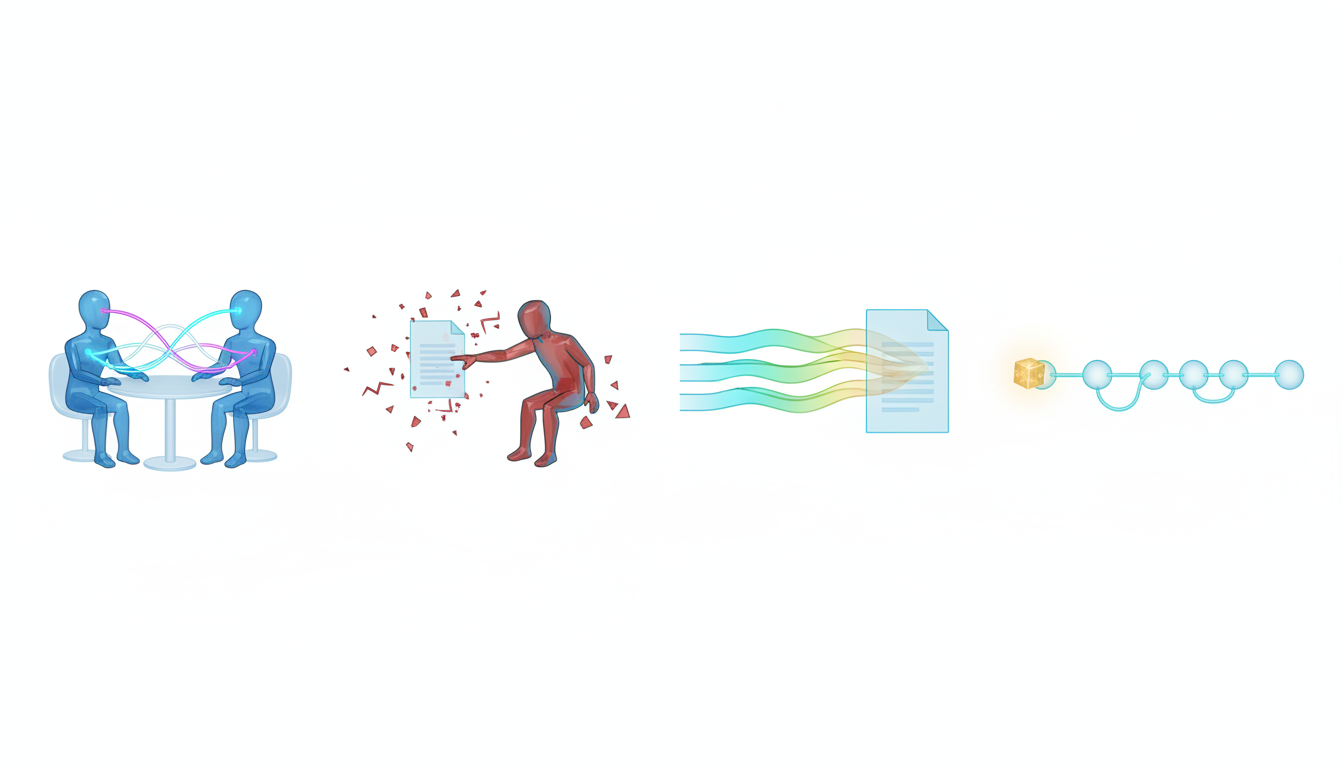
Validation workflows produce multiple outputs that need to be compared and scored. A consensus score quantifies how much agreement exists across models, while dissent logging records where models disagree and why. Together, these metrics provide a confidence level for the final output.
Calculating Consensus Scores
A consensus score is a weighted average of model agreement on key claims or conclusions. The calculation depends on how many models you run and which claims you’re validating.
- Identify the key claims or conclusions in the validation task
- For each claim, count how many models agree and how many dissent
- Weight models by their reliability or domain expertise if needed
- Calculate the consensus score as the percentage of weighted agreement
A consensus score above 80 percent suggests high confidence in the output. A score between 50 and 80 percent indicates meaningful dissent that should be investigated. A score below 50 percent means the models fundamentally disagree, and the output should not be used without further review.
Dissent Logging Templates
When models disagree, you need to record what they disagree about and why. A dissent log captures this information in a structured format:
- Claim – the specific statement or conclusion under dispute
- Agreeing models – which models support the claim
- Dissenting models – which models challenge the claim
- Rationale – why the dissenting models disagree
- Evidence – what sources or reasoning the dissenting models cite
- Resolution – your decision on how to handle the dissent
Dissent logs become part of the audit trail. If a stakeholder questions a conclusion, you can show exactly where models disagreed, what evidence they considered, and why you chose to proceed with the consensus view or investigate further.
Confidence Thresholds
Define confidence thresholds before running validation workflows. A threshold is the minimum consensus score required to accept an output without further review. Thresholds should reflect the risk profile of the task:
- High-risk tasks (legal filings, regulatory submissions) – require 90 percent or higher consensus
- Medium-risk tasks (investment memos, strategic recommendations) – require 75 percent or higher consensus
- Low-risk tasks (background research, exploratory analysis) – require 60 percent or higher consensus
If a validation run produces a consensus score below the threshold, flag the output for human review. Don’t proceed with low-confidence outputs in high-stakes contexts.
Reference Architectures for Validation
Deploying a multi-AI decision validation orchestrator requires choosing an architecture that fits your workflow complexity, risk profile, and resource constraints. Two reference architectures cover most professional use cases: lightweight and enterprise.
Lightweight Architecture
The lightweight architecture is suitable for small teams or individual professionals who need validation without heavy infrastructure. It combines three components:
- AI Boardroom – coordinates 3-5 models in parallel or sequence
- Context Fabric – preserves conversation history and document references across sessions
- Manual review – you compare outputs and make final decisions
This architecture works for tasks like validating a legal brief, reviewing an investment memo, or checking a research report. You run the validation, review the outputs, and make the final call. There’s no automated consensus scoring or dissent logging, but the orchestration still provides multi-model comparison and provenance tracking. See how the AI Boardroom coordinates multiple models in a lightweight setup.
Enterprise Architecture
The enterprise architecture adds automation, governance, and audit capabilities for teams that run validation workflows at scale. It includes:
- AI Boardroom – coordinates 5+ models with conditional routing and priority queues
- Context Fabric and Knowledge Graph – persistent context and relationship mapping across documents
- Automated consensus scoring – calculates agreement metrics and flags low-confidence outputs
- Dissent logging and audit trails – records all model outputs, dissent rationales, and resolution decisions
- Governance controls – message queuing, deep thinking, and interrupt capabilities
- Integration layer – connects to document management systems, workflow tools, and compliance platforms
This architecture supports high-volume validation workflows where multiple teams run orchestrations daily. Automated scoring and logging reduce manual review time, while governance controls ensure that outputs meet quality standards. The integration layer lets you feed validation results into existing workflows without manual data entry.
Hybrid Architecture
A hybrid architecture combines lightweight orchestration for routine tasks with enterprise capabilities for high-stakes validation. You run most validations through the AI Boardroom with manual review, but flag high-risk outputs for automated scoring, dissent logging, and full audit trails.
- Define risk tiers for your validation tasks (low, medium, high)
- Use lightweight architecture for low and medium-risk tasks
- Route high-risk tasks to enterprise architecture with full governance
- Review audit trails for high-risk tasks before finalizing outputs
The hybrid approach balances efficiency and rigor. You don’t need enterprise-level controls for every validation, but you have them available when stakes are high.
Vertical Playbooks for Professional Workflows
Different industries have different validation requirements. A legal validation workflow differs from an investment validation workflow, which differs from a due diligence workflow. These vertical playbooks provide step-by-step patterns for common professional use cases.
Legal Analysis Validation
Legal professionals need to validate case strategies, brief arguments, and regulatory interpretations. The legal validation playbook combines Red Team and Debate modes with precedent checking and citation verification.
- Step 1 – Draft the legal argument or brief using a primary model
- Step 2 – Run Red Team mode to challenge the argument’s logic and precedent citations
- Step 3 – Use Debate mode to explore alternative interpretations of key cases
- Step 4 – Verify all citations against source documents in Context Fabric
- Step 5 – Review dissent logs and decide whether to revise or proceed
This playbook ensures that every legal argument has been stress-tested by multiple models before you present it. The red team model identifies weak points, the debate exposes alternative interpretations, and citation verification prevents hallucinated references. Legal analysis validation provides detailed examples of this playbook in action.
Investment Decision Orchestration
Investment analysts need to validate financial models, market assumptions, and risk assessments before making recommendations. The investment validation playbook uses Super Mind and Sequential modes with consensus scoring.
- Step 1 – Generate initial investment thesis using a primary model
- Step 2 – Run Super Mind mode to synthesize multiple models’ perspectives on market trends and competitive dynamics
- Step 3 – Use Sequential mode to refine financial projections, with one model checking assumptions and another stress-testing scenarios
- Step 4 – Calculate consensus score on key investment metrics (revenue growth, margin expansion, valuation multiples)
- Step 5 – Review dissent on high-impact assumptions and adjust the thesis if needed
This playbook balances efficiency and rigor. Super Mind mode quickly aggregates insights, Sequential mode adds depth to financial analysis, and consensus scoring flags areas of disagreement. Investment decision orchestration shows how this playbook scales across different asset classes and investment strategies.
Due Diligence Workflows
Due diligence requires validating claims across multiple documents, identifying inconsistencies, and surfacing risks. The due diligence playbook combines Research Symphony for multi-source synthesis with Red Team mode for risk identification.
- Step 1 – Upload all due diligence documents to Context Fabric
- Step 2 – Use Research Symphony to synthesize information across documents and identify key claims
- Step 3 – Run Red Team mode to challenge optimistic projections, market assumptions, and risk disclosures
- Step 4 – Use Knowledge Graph to map relationships between entities, contracts, and financial statements
- Step 5 – Generate a consensus report with dissent logs for any unresolved issues
This playbook ensures that due diligence covers all documents, identifies inconsistencies, and flags risks that a single model might miss. Research Symphony pulls evidence from multiple sources, Red Team mode challenges assumptions, and Knowledge Graph shows how information connects across documents. See due diligence workflows for detailed walkthroughs of this playbook in acquisition, investment, and partnership contexts.
Failure Modes and Recovery Procedures
Multi-model orchestration can fail in ways that single-model workflows don’t. Models can disagree without resolution, produce low-quality outputs simultaneously, or consume excessive compute resources. These failure modes require specific recovery procedures.
Irreconcilable Dissent
Sometimes models fundamentally disagree and no amount of debate or refinement produces consensus. This happens when the underlying question is ambiguous, the evidence is contradictory, or the models have different reasoning frameworks.
- Symptom – consensus score remains below threshold after multiple validation rounds
- Recovery – escalate to human expert review; present both majority and minority opinions
- Prevention – define clear decision criteria and evidence standards before running validation
Don’t force consensus when models legitimately disagree. Present the dissent to stakeholders and let them make the final call with full visibility into the disagreement.
Cascade Errors
In Sequential mode, one model’s error can propagate through the entire workflow if downstream models accept the flawed output without questioning it.
- Symptom – all models in the sequence produce similar errors or hallucinations
- Recovery – use Stop and Interrupt to halt the sequence; remove the flawed output; re-run from the error point
- Prevention – enable Deep Thinking mode so each model shows its reasoning; review intermediate outputs before proceeding
Cascade errors are particularly dangerous because they create false consensus. Multiple models agree, but they’re all building on the same flawed foundation. Deep Thinking mode and intermediate review break the cascade by forcing each model to justify its reasoning.
Resource Exhaustion
Running multiple models simultaneously consumes more compute and incurs higher costs than single-model workflows. Without controls, validation workflows can exhaust budgets or hit rate limits.
- Symptom – orchestration runs fail due to rate limits or budget caps
- Recovery – switch to Sequential mode to reduce parallel load; use Targeted mode to validate only high-risk sections
- Prevention – set resource budgets per validation task; monitor usage in real time; prioritize high-stakes validations
Resource exhaustion is a planning problem, not a technical failure. Define resource budgets before running large-scale validations, and use Targeted mode to focus orchestration resources where they matter most.
Measuring Validation Effectiveness

How do you know if multi-model validation is working? You need metrics that quantify whether orchestration improves decision quality, reduces errors, and provides auditability. These metrics fall into three categories: accuracy, efficiency, and governance.
Accuracy Metrics
Accuracy metrics measure whether validation catches errors and improves output quality:
Watch this video about multi AI decision validation orchestrators:
Watch this video about multi AI decision validation orchestrators:
- Error detection rate – percentage of single-model errors caught by orchestration
- False positive rate – percentage of dissents that turn out to be incorrect challenges
- Consensus stability – how often consensus scores remain stable across multiple validation runs
Track error detection rate by comparing single-model outputs to validated outputs and counting how many errors were caught. A high error detection rate (above 70 percent) indicates that orchestration is adding value. A low rate suggests that single-model outputs are already high quality or that your validation patterns aren’t effective.
Efficiency Metrics
Efficiency metrics measure whether validation workflows are practical for daily use:
- Latency – time from prompt submission to final validated output
- Cost per validation – compute cost divided by number of validations
- Manual review time – hours spent reviewing dissent logs and making final decisions
Latency matters because validation workflows that take too long won’t get used. Aim for latency under 5 minutes for lightweight validations and under 20 minutes for enterprise validations. Cost per validation should be proportional to the value of the decision. A $50 validation cost is reasonable for a $10 million investment decision but excessive for a routine research task.
Governance Metrics
Governance metrics measure whether validation workflows produce auditable, repeatable results:
- Audit trail completeness – percentage of validations with full provenance and dissent logs
- Consensus threshold compliance – percentage of outputs that meet defined confidence thresholds
- Dissent resolution rate – percentage of dissents that are investigated and resolved
Audit trail completeness is critical for regulated industries. Every validation should produce a complete record of which models ran, what they concluded, and where they disagreed. Consensus threshold compliance ensures that low-confidence outputs don’t slip through without review. Dissent resolution rate measures whether your team is actually investigating disagreements or ignoring them.
Selecting the Right Orchestration Mode
Choosing the right validation pattern depends on your task’s risk profile, ambiguity level, and resource constraints. This decision matrix helps you select the appropriate mode:
- Debate mode – use when the task has high ambiguity and you need to explore multiple perspectives before reaching a conclusion
- Red Team mode – use when you have a draft output that needs adversarial validation before finalization
- Super Mind mode – use when you need a balanced synthesis across multiple models with minimal latency
- Sequential mode – use when the task requires multi-stage processing with different models handling different steps
- Targeted mode – use when only specific sections of a document require validation
For high-risk, high-ambiguity tasks, combine modes. Start with Debate to explore the problem space, then use Red Team to validate the emerging consensus, and finish with Super Mind to synthesize the final output. For routine tasks with clear criteria, Super Mind or Sequential mode alone may be sufficient.
Building Specialized AI Teams
Not all models are equally good at all tasks. Some models excel at legal reasoning, others at financial analysis, and others at technical writing. Specialized AI teams let you assign models to tasks based on their strengths, improving validation quality and efficiency.
Team Composition Strategies
Build teams by matching model capabilities to task requirements:
- Legal team – models trained on legal corpora for precedent analysis and brief review
- Financial team – models with strong quantitative reasoning for valuation and risk assessment
- Research team – models optimized for multi-document synthesis and citation accuracy
- Technical team – models with domain expertise in engineering, science, or technology
When you run a validation workflow, select the team that matches the task. For legal brief validation, use the legal team. For investment memo validation, use the financial team. This ensures that every model in the orchestration has relevant expertise. To see how team building works in practice, check out the specialized teams feature that lets you configure and save team compositions for reuse.
Cross-Functional Validation
Some tasks require input from multiple domains. A merger analysis might need legal, financial, and operational perspectives. For these tasks, build cross-functional teams that include models from different specializations.
- Identify which domains the task touches (legal, financial, technical, operational)
- Select one or two models from each relevant team
- Run Super Mind mode to synthesize their perspectives
- Review dissent logs to understand where domain perspectives conflict
Cross-functional validation is more complex than single-domain validation because models may disagree due to different domain assumptions rather than errors. A legal model might flag regulatory risks that a financial model considers manageable. Both perspectives are valid, and the dissent reflects a genuine trade-off rather than an error.
Advanced Orchestration Techniques
Once you’ve mastered basic validation patterns, these advanced techniques can improve output quality and efficiency.
Conditional Routing
Conditional routing sends prompts to different models based on the content or context. If a prompt contains legal terms, route it to the legal team. If it contains financial metrics, route it to the financial team. This reduces unnecessary orchestration and focuses resources on relevant models.
- Define routing rules based on keywords, document types, or task categories
- Apply rules automatically when prompts are submitted
- Override rules manually when you need a specific team composition
Conditional routing is particularly useful in enterprise architectures where hundreds of validations run daily. Automated routing ensures that each task gets the right team without manual selection.
Weighted Consensus
Not all models should have equal weight in consensus scoring. A model with a track record of accuracy should count more than a model with frequent errors. Weighted consensus adjusts scores based on model reliability.
- Track each model’s accuracy over time
- Assign weights based on historical performance (high-accuracy models get higher weights)
- Recalculate consensus scores using weighted averages
- Adjust weights periodically as model performance changes
Weighted consensus prevents low-quality models from diluting high-quality outputs. If four reliable models agree and one unreliable model dissents, the weighted score will reflect high confidence rather than treating all five models equally.
Iterative Refinement Loops
Some validation tasks require multiple rounds of refinement before reaching acceptable quality. An iterative refinement loop runs validation, reviews dissent, revises the output, and re-validates until consensus meets the threshold.
- Run initial validation and calculate consensus score
- If score is below threshold, review dissent logs and identify revisions
- Revise the output based on dissent feedback
- Re-run validation with the revised output
- Repeat until consensus score meets threshold or maximum iterations reached
Iterative refinement is resource-intensive but necessary for high-stakes tasks where initial outputs rarely meet quality standards. Set a maximum iteration limit (typically 3-5 rounds) to prevent endless loops.
Integration with Existing Workflows
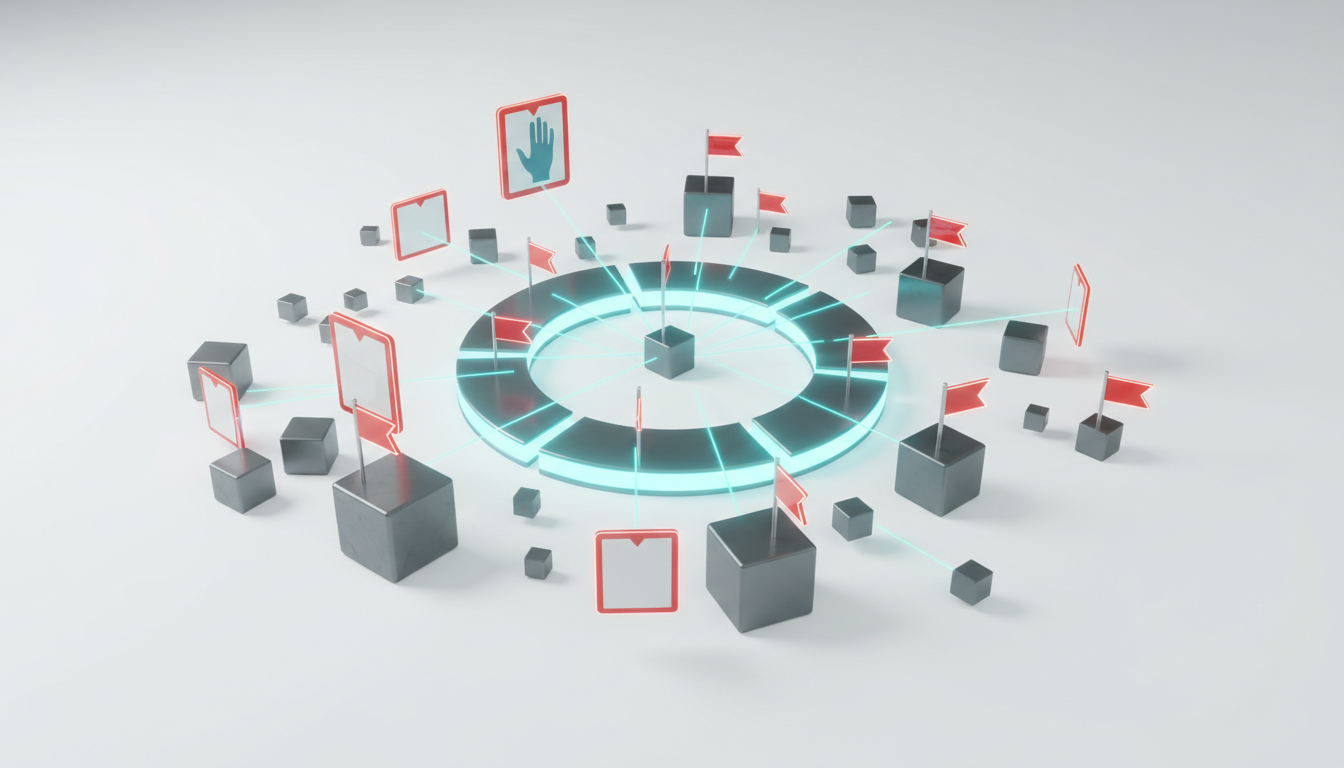
Multi-AI decision validation orchestrators don’t replace your existing tools. They integrate with document management systems, workflow platforms, and collaboration tools to fit into professional workflows without disruption.
Document Management Integration
Connect Context Fabric to your document management system so that models can access source files without manual uploads. When you run a validation, the orchestrator pulls documents from your existing repository, runs validation, and stores results back in the same system.
- Authenticate the orchestrator with your document management API
- Define which document collections are accessible to the orchestrator
- Map document metadata (author, date, version) to Context Fabric fields
- Enable automatic sync so new documents are available for validation immediately
Document management integration eliminates manual file handling and ensures that validations always use the latest document versions.
Workflow Platform Integration
Embed validation steps into existing approval workflows. When a document reaches the validation stage, the workflow platform triggers an orchestration run, waits for results, and routes the output to the next stage based on consensus scores.
- Define validation triggers in your workflow platform (document submitted, approval requested)
- Configure the orchestrator to accept webhook calls from the workflow platform
- Set routing rules based on consensus scores (high confidence → auto-approve, low confidence → manual review)
- Log validation results in the workflow platform’s audit trail
Workflow integration makes validation automatic and consistent. Teams don’t need to remember to run validations because the workflow platform handles it.
Collaboration Tool Integration
Share validation results in your team’s collaboration tools so that everyone has visibility into consensus scores, dissent logs, and audit trails. When a validation completes, post a summary to your team channel with links to full results.
- Configure notifications to post validation summaries to team channels
- Include consensus scores, dissent highlights, and links to detailed logs
- Enable threaded discussions so team members can comment on dissent and resolution decisions
- Archive validation threads for future reference
Collaboration tool integration keeps validation transparent and accessible. Team members can review results without logging into a separate system.
Security and Compliance Considerations
Multi-model orchestration introduces security and compliance considerations that don’t exist in single-model workflows. You’re sending data to multiple models, storing intermediate outputs, and creating audit trails that may contain sensitive information.
Data Residency and Model Selection
Different models have different data residency and privacy policies. Some models process data in specific geographic regions, others retain training data, and others offer zero-retention guarantees. Choose models that meet your compliance requirements.
- Review each model’s data residency and retention policies
- Exclude models that don’t meet your compliance standards
- Configure Context Fabric to store sensitive data in compliant regions
- Audit model selection periodically as policies change
For regulated industries, data residency is non-negotiable. If your compliance framework requires that data stays in the EU, exclude models that process data in other regions.
Audit Trail Security
Audit trails contain the full history of validation runs, including model outputs, dissent logs, and resolution decisions. This information is sensitive and must be protected.
- Encrypt audit trails at rest and in transit
- Restrict access to audit trails based on role and need-to-know
- Log all access to audit trails for compliance review
- Define retention policies that balance compliance requirements with storage costs
Audit trail security is critical for maintaining trust. If audit trails leak, you’ve exposed not just the final outputs but the entire reasoning process and all dissent.
Model Bias and Fairness
Different models have different biases based on their training data and reinforcement learning. When you orchestrate multiple models, you need to understand and mitigate these biases.
- Test models for bias on representative datasets before adding them to teams
- Monitor consensus patterns to identify systematic biases (all models consistently favor certain conclusions)
- Include diverse models with different training backgrounds to reduce bias amplification
- Document known biases in team composition notes
Bias in orchestration is subtle. Even if individual models have manageable bias, orchestration can amplify bias if all models share the same blind spots. Diversity in model selection is a bias mitigation strategy.
Future-Proofing Your Validation Architecture
AI models evolve rapidly. New models with better capabilities launch regularly, and existing models receive updates that change their behavior. Your validation architecture needs to adapt to these changes without breaking existing workflows.
Model Versioning and Rollback
Track which model versions you use in each validation run. When a model updates, test the new version before deploying it to production workflows. If the new version produces lower-quality outputs, roll back to the previous version.
- Pin specific model versions in team configurations
- Test new versions in parallel with current versions before switching
- Compare outputs from old and new versions to identify behavior changes
- Maintain rollback capability for at least two versions
Model versioning prevents unexpected behavior changes from disrupting validation workflows. You control when to adopt new versions rather than being forced to accept automatic updates.
Capability Monitoring
Monitor model capabilities over time to detect degradation or improvement. If a model’s accuracy drops, investigate whether the model changed or whether your tasks evolved beyond the model’s capabilities.
- Define capability benchmarks for each model (accuracy, latency, cost)
- Run benchmark tests monthly or quarterly
- Compare current performance to baseline
- Replace models that fall below acceptable thresholds
Capability monitoring ensures that your validation architecture maintains quality standards as models and tasks evolve. Don’t assume that a model that worked well six months ago is still the best choice today.
Architecture Flexibility
Design your validation architecture to accommodate new orchestration modes, governance controls, and integration points without requiring complete redesign. Use modular components that can be swapped or extended as requirements change.
- Separate coordination logic from model-specific code
- Define standard interfaces for new orchestration modes
- Use configuration files to define team compositions, routing rules, and thresholds
- Build extension points for custom validation patterns
Architecture flexibility reduces the cost of adopting new capabilities. When a new orchestration mode becomes available, you should be able to add it to your workflow with configuration changes rather than code rewrites.
Frequently Asked Questions
How many models should I include in a validation workflow?
The optimal number depends on your task’s risk profile and resource constraints. For most professional workflows, 3-5 models provide sufficient validation without excessive cost or latency. High-stakes tasks may justify 7-10 models, while routine tasks can use 2-3 models. More models increase confidence but also increase cost and complexity.
What’s the difference between Debate mode and Red Team mode?
Debate mode runs multiple models in an adversarial conversation where they challenge each other’s reasoning. Red Team mode assigns one model to critique another model’s completed output. Use Debate when you need to explore a problem space before reaching a conclusion. Use Red Team when you have a draft output that needs adversarial validation before finalization.
How do I handle situations where models fundamentally disagree?
When models reach irreconcilable dissent, escalate to human expert review. Present both the majority and minority opinions to stakeholders and let them make the final decision with full visibility into the disagreement. Don’t force consensus when models legitimately disagree due to ambiguous evidence or different reasoning frameworks.
Can I use this approach with proprietary or domain-specific models?
Yes. The orchestration architecture is model-agnostic. You can include proprietary models, domain-specific models, or custom fine-tuned models in your teams. The coordination layer treats all models as interchangeable components that accept prompts and return outputs. Configure team compositions to include your proprietary models alongside general-purpose models.
How do I measure whether validation is worth the additional cost and latency?
Track error detection rate (percentage of single-model errors caught by orchestration) and decision quality metrics (outcomes of validated decisions vs. non-validated decisions). If validation catches errors in more than 30 percent of runs or improves decision outcomes measurably, the additional cost and latency are justified. For high-stakes decisions, even a 10 percent error detection rate may justify validation.
What happens if one model in the orchestration produces a hallucination?
Other models in the orchestration should identify the hallucination through cross-validation. When one model cites a non-existent source or makes an unsupported claim, other models will either fail to find supporting evidence or explicitly challenge the claim. This dissent flags the hallucination for review. Enable Deep Thinking mode to make it easier to spot where models question each other’s claims.
How do I integrate this with existing document management and workflow systems?
Use API integrations to connect Context Fabric with your document management system and configure webhooks to trigger validation runs from your workflow platform. The orchestrator can pull documents automatically, run validation, and post results back to your existing systems. Most enterprise document management and workflow platforms support webhook and API integrations.
Implementing Your Validation Strategy
You now have the architectures, patterns, and metrics to operationalize multi-AI decision validation. Validation requires coordinated multi-model critique and consensus, not single-model prompts. Orchestration modes map to distinct risk profiles and tasks, from Debate for exploratory analysis to Red Team for final output validation. Persistent context and evidence enable auditability through Context Fabric and Knowledge Graph. Governance controls make results repeatable and recoverable.
Start by identifying one high-stakes workflow where validation would reduce risk. Choose the orchestration mode that matches your task’s ambiguity and risk profile. Configure your team composition with models that have relevant domain expertise. Run a pilot validation and measure error detection rate and consensus stability. Refine your approach based on results, then scale to additional workflows.
To explore specific orchestration patterns, review the mode pages for Debate and Red Team validation strategies. When you’re ready to deploy validation at scale, see pricing for enterprise orchestration capabilities with automated consensus scoring, dissent logging, and full audit trails. The AI Boardroom provides the coordination layer you need to run validation workflows without building custom infrastructure.